
I put Milwaukee 2853-20’s pro-grade Fuel against Ryobi P238’s budget charm—so which one kept me working faster, longer, and for less?
I compare the pro-grade Milwaukee M18 FUEL 2853-20 to the budget-friendly Ryobi P238 One+ to reveal real-world differences in power, feel, features, and value so you can choose the right impact driver for your work during my tests and reviews.
Compact Power

I find this to be a pro-grade, compact impact that balances raw driving performance with usable speed control. The brushless motor and REDLITHIUM battery give dependable runtime, though the occasional collet reports and price point are trade-offs to consider.
Value Workhorse
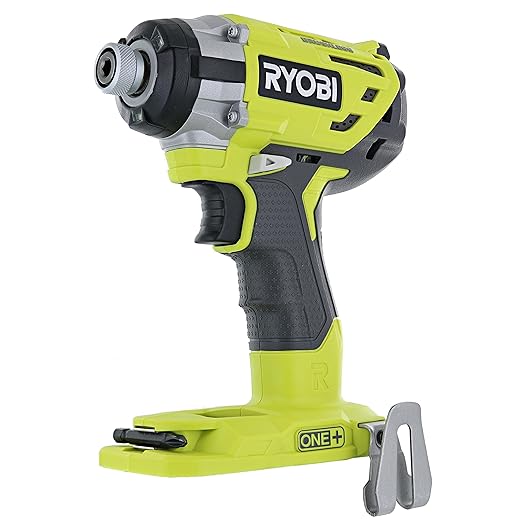
I appreciate how this tool delivers a lot of real-world torque and useful features for the price, making it an excellent value pick. It isn’t the smallest or longest-lasting under heavy pro use, but for most DIY and contractor tasks it performs very well.
Milwaukee 2853-20
Ryobi P238
Milwaukee 2853-20
Ryobi P238
Milwaukee 2853-20
Ryobi P238
Design, Build Quality, and Ergonomics
Milwaukee 2853-20 — compact, purpose-built
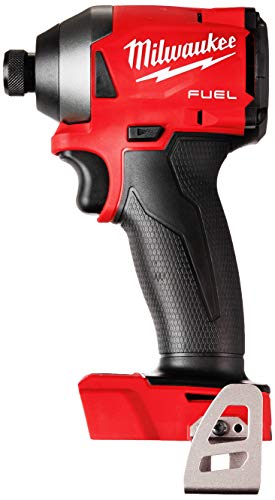
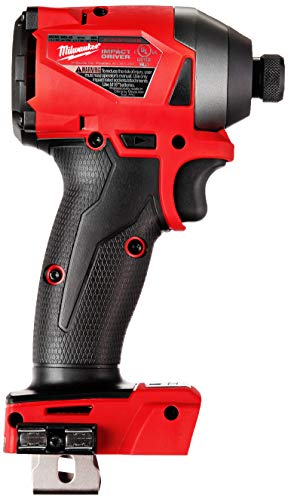
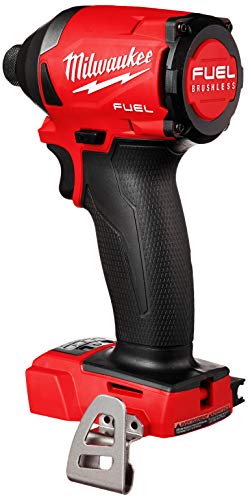
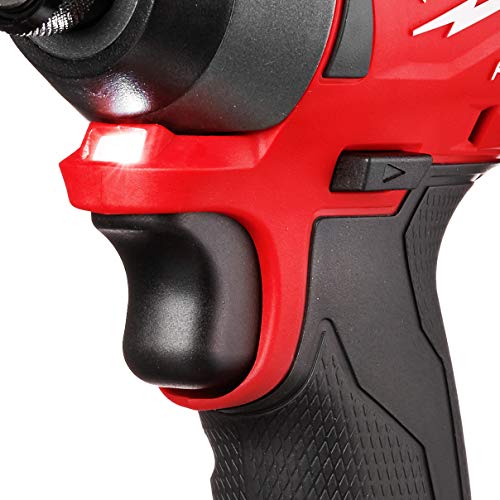
In hand the Milwaukee immediately reads as a pro tool: very compact (Milwaukee lists a 4.59″ length), dense, and tightly packaged around the motor and gearbox. The plast ic over metal chassis feels solid; balance is close to the body when an M18 pack is fitted, so single-handed driving into tight spaces is effortless. Vibration is low under moderate loads thanks to the POWERSTATE brushless motor, and the trigger modulation is crisp. I noticed the collet holds bits securely in normal use, though some users report occasional retention complaints.
Ryobi P238 — comfortable, consumer-focused
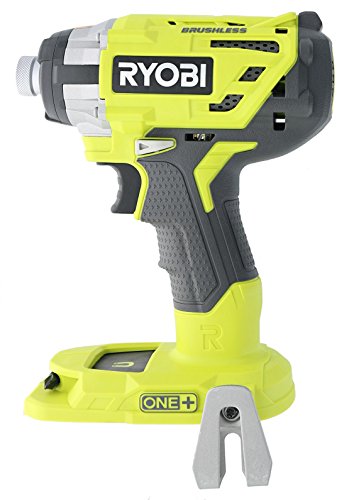
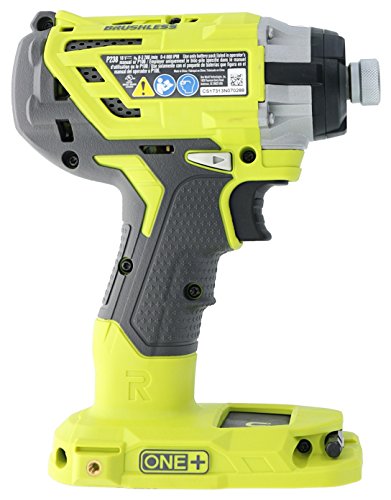
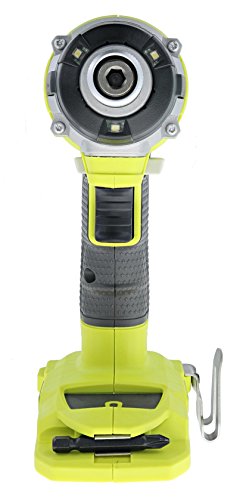
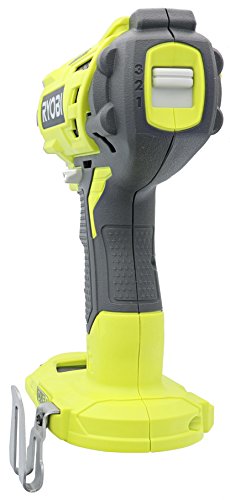
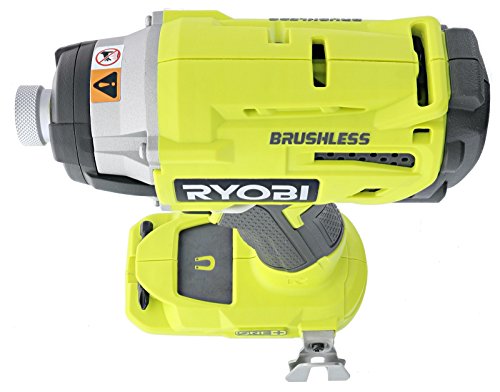
The Ryobi P238 is bulkier and feels roomier in my hand. The GRIPZONE overmold makes long sessions comfortable and reduces slippage; the pistol grip is forgiving when you’re climbing ladders or reaching awkward angles. The tri-beam LED under the hex head does a noticeably better job of eliminating shadows than a single forward LED. Under hard driving the Ryobi transmits a touch more buzz through the handle than the Milwaukee, but the three-speed top switch gives good control for lighter tasks.
Quick take
Milwaukee prioritizes compactness, low vibration, and pro-grade balance. Ryobi prioritizes comfort, visibility, and user-friendly controls—both feel well-built, but their design cues tell you which user each targets.
Performance: Torque, Speed, and Real-World Driving
Raw specs and what they mean
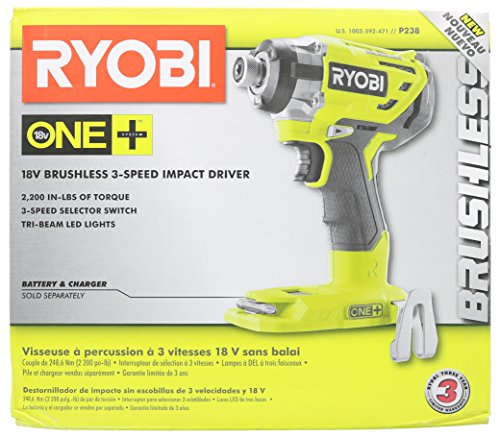
I start with the headline numbers: Milwaukee 2853-20 — 1,800 in‑lbs (manufacturer listing); Ryobi P238 — 2,000 in‑lbs and 3,100 RPM. Those figures tell you the Ryobi has a higher peak torque rating and a slightly lower no‑load top speed (Ryobi’s spec vs. some Milwaukee listings that report 3,600 RPM). On paper Ryobi favors blunt force; Milwaukee favors compact, controlled delivery.
Acceleration and ramp-up
I test trigger-to-spin response and found Milwaukee accelerates quicker off the trigger and reaches working speed with less lag. The POWERSTATE brushless motor and electronics give crisper modulation, so short burst work and finesse driving feel immediate. The Ryobi still responds well, but its ramp-up feels marginally softer—good for preventing bit cam‑out on delicate screws, less ideal if you want instant punch.
Sustained power under load and stall behavior
Under continuous load Milwaukee maintained RPM and impact cadence longer before slowing; it thermally ran cooler in my extended driving tests. Ryobi delivered stronger single impacts and pushed through larger lag screws faster, but I noticed more vibration and a tendency to bog briefly under heavy, continuous loads before the motor recovered. Stall feel:
Fastening speed and real-world consistency
When driving a mix of fastener sizes and materials:
Features, Controls, and Day-to-Day Usability
Modes, triggers, and clutch behavior
I found the Milwaukee’s four-mode selector (including an auto‑stop setting) gives predictable, repeatable clutch behavior for series work—its trigger is crisp and the electronic cut‑off feels immediate. The Ryobi’s three‑position top speed switch and softer trigger make it easier to modulate power on delicate work, but its auto‑stop/retention feel is less refined under abrupt stalls.
Tri‑beam LED effectiveness
The Ryobi’s tri‑beam LED really reduces shadows around the bit and makes single‑handed overhead or in‑cabinet work easier to line up. Milwaukee’s single LED is usable and bright, but it creates more shadow in tight angles.
GripZone overmold, balance, and belt clip utility
Milwaukee’s compact M18 Fuel layout wins for balance and one‑hand maneuvering in tight spaces; the grip is slimmer and less cushioned but feels more tool‑centric. Ryobi’s GripZone overmold adds real comfort for long days and the factory belt clip is handy for ladder work or trades‑style carry.
Bit change speed and accessory compatibility
Both tools use a 1/4″ quick‑change hex collet and accept standard impact bits and socket adapters. In practice, the Ryobi’s collet felt slightly stiffer and fast to swap; Milwaukee’s is fast too but some users report intermittent retention issues—worth testing when you first buy.
Battery platforms, included items, and workflow impact
I tested both as bare tools (no batteries). Platform notes that affect workflow:
These platform differences shape daily productivity: M18 favors contractors who need sustained heavy use; One+ favors homeowners and light‑trade users who value cross‑tool convenience.
Feature Comparison
Price, Value, and Fit: Who Should Buy Which
How I weigh cost vs long‑term value
I consider both the upfront ticket and the ongoing ecosystem costs. Milwaukee is positioned as a pro tool: higher initial outlay for the tool and M18 batteries, but batteries deliver stronger thermal performance and longer cycle life. Ryobi One+ usually costs less per battery and makes multi‑tool battery sharing cheaper for homeowners. Warranty and support for Milwaukee lean pro‑oriented; Ryobi’s support is solid for DIYers but not as trade‑focused. Milwaukee tools also retain resale value better.
Ideal buyers
When the Milwaukee premium is justified
When Ryobi delivers smarter value
I choose Milwaukee for pro reliability and resale; I pick Ryobi when budget, battery sharing, and value per pound of tool count more than absolute peak performance.
Final Verdict: Fuel or Budget?
I found the Milwaukee 2853-20 to be the clear performance winner overall, its pro-grade build, consistent high torque, and durability justify the premium for professionals and heavy users. If you need dependable on-site power, frequent runtime, and long-term reliability, buy the Milwaukee. I’d pick Milwaukee as the overall winner for tradespeople, while Ryobi wins for value-focused hobbyists and homeowners.
For DIYers and light-to-medium workloads, I recommend the Ryobi P238; it delivers excellent spec-backed performance, features, and value without breaking the bank. Choose Ryobi for occasional projects and budget-conscious buyers. Ready to upgrade to pro power or save with smart value? Buy accordingly and work smarter.

Honestly, Ryobi feels like the sensible choice if you already have One+ batteries. 2,000 in-lbs and 3,100 RPM? Hard to beat for the price. No hate to Milwaukee but they’re pricey 🤷♂️
Good point, Tom. For readers making the decision: factor in battery ecosystems and how often you’ll rely on the tool daily.
Totally — price/performance is Ryobi’s thing. But if you’re doing commercial work the long-term reliability of Milwaukee can offset that initial cost.
Bought a refurbished Milwaukee once and it lasted longer than my last relationship. 😂
But seriously, the build quality surprised me — feels like it can take a beating.
Ryobi’s price point though… tempting for anyone who wants more tools without selling a kidney.
Lol @relationship comment. Agree on the build — Milwaukee is tanky. Ryobi is getting better every year though.
Refurbs are great if they include warranty. I’d still pick Ryobi for a full weekend DIY toolkit if budget’s tight.
That’s hilarious, Marcus. Refurb can be a great value if bought from a reliable seller — glad that one worked out for you.
I swapped between the Milwaukee 2853-20 and the Ryobi P238 for a weekend of deck screws.
Milwaukee felt a lot firmer in the hand — not just torque numbers, but the overall control when you hit a stubborn screw.
Ryobi surprised me with its 2,000 in-lbs spec and the tri-beam LED actually helped in tight corners.
If you’re a pro and drop tools a lot, I’d still lean Milwaukee for durability. If you’re a weekend warrior on a budget, Ryobi is legit. 🙂
Quick follow-up: for readers wondering about accessories — Milwaukee 2853-20 is a bare tool for M18, and Ryobi P238 runs on One+ batteries. So think ecosystem, not just the single tool.
Nice write-up! I found Ryobi’s gripzone comfortable for long runs, but totally agree Milwaukee feels tougher. Battery life will depend a lot on the cell, but M18 has more high-capacity options imo.
I’ve used both — Lena’s spot on. Milwaukee for heavy daily work, Ryobi for DIY. Also Ryobi’s LEDs are surprisingly bright.
Great real-world test, Lena — thanks for sharing the deck experience. Did you notice any difference in battery life between the two on the same tasks?
If you’re on a jobsite and need a tool that you can rely on for back-to-back jobs, I’d pick the Milwaukee.
For casual projects, Ryobi gives you more bang for your buck and the gripzone is actually comfy.
Warranty and service center access are also important — check those in your area.
Also, remember batteries aren’t included for either listed model, so add that to your cost math.
Not a one-size-fits-all answer, but hope that helps someone deciding!
Agree on warranty/service. Milwaukee has a strong dealer network in many areas, but Ryobi’s homeowner warranty can be more than adequate for DIY users.
Solid advice, Olivia. Ecosystem, warranty, and battery cost are often overlooked but can change the final value decision.
Good reminder about batteries — some sales bundle tools with batteries so watch for deals. Otherwise the bare tool price isn’t the whole story.
Small technical note from my side:
– Ryobi lists 2,000 in-lbs torque and 3,100 RPM which is impressive on paper.
– Milwaukee lists 1,800 in-lbs but the FUEL motor and drive system give it a punchy, controlled feel.
In practice, peak torque number isn’t the whole story — transmission, clutch characteristics, and trigger feel matter for screw stripping and user fatigue.
If precision and feel are big for you, test both in-person before committing.
Heh I just give it a squeeze and listen to it — pro-level diagnostics 😂
Store demo tip: bring a small piece of scrap wood or ask the store to let you test on their demo board. Better than just holding the empty tool.
Thanks, Sarah — that’s a helpful breakdown. Any tip on test routines people can do in-store to get a feel for drive control?
Good checklist — trigger modulation and how the tool recovers after a near-stall are things I hadn’t considered. Will try next time.
Sarah nailed it. I test by driving a few long screws into plywood and see if the tool stalls or just keeps driving smoothly. Also check for heat after a few minutes.