
Why I Care About Accurate Heart Rate in Freezing Runs
I explain why accurate heart rate (HR) matters to me during cold runs: it keeps my training honest, helps me avoid over- or under-training in challenging conditions, and protects my safety when temperatures drop. I summarize the key problem—how cold affects wearable HR sensors—and set the goal of the article: practical, repeatable calibration steps I use with smartwatches so my data stays useful when it’s freezing outside.
Accurate HR helps me train smarter and stay safe. I want clear, reliable data so I can pace efforts, manage recovery, and react to odd sensor behavior in the moment. This article shows the routine I follow before, during, and after cold runs consistently.
How Cold Weather Affects Heart Rate Sensors and Readings
Why cold breaks the optical signal
I’ve learned the hard way that an optical (PPG) sensor is only as good as the blood flow under your skin. In cold weather your body prioritizes core temperature, causing vasoconstriction in the extremities. Less capillary blood = weaker reflected light = a noisier or dropped signal. Thick gloves, long sleeves, or a cuff pulled over the watch can also shadow the sensor and further weaken readings. I remember a -8°C run where my Garmin Forerunner flatlined until I slipped my wrist briefly into my jacket — immediate improvement.
How motion and electronics make it worse
Cold makes two other problems worse: motion artifacts and temperature-sensitive electronics. Stiff muscles and bulkier layers change how my wrist moves, creating irregular motion that confuses the PPG algorithm. Some watches also slow or change filtering behavior at low battery/temperature, adding latency or smoothing that shows as a delayed response.
Chest strap vs optical in the cold
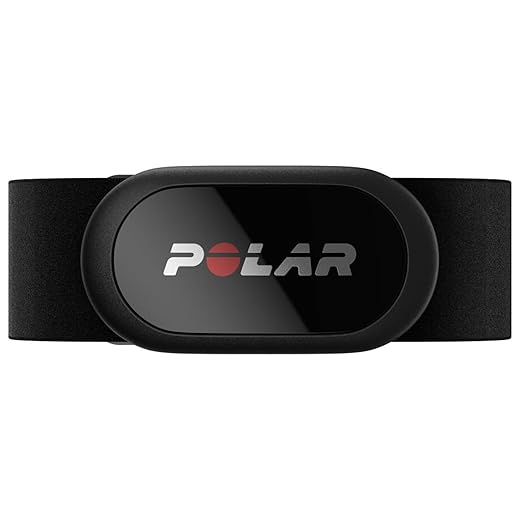
Chest-strap ECGs (Polar H10, Wahoo TICKR) read electrical activity and sit near the torso where perfusion is steadier, so they’re far less likely to show artificially low values or flatlines. They can still suffer from strap stiffness, sweat-freezing, or poor contact with skin under heavy clothing, but overall they’re more reliable when it’s frigid.
Recognizing the error and choosing a fix
Knowing which error you’re seeing helps decide the calibration or backup I’ll use on my next run.
Preparing Myself and My Watch Before a Freezing Run
My On-Wrist Calibration Routine That I Do Every Time
Quick indoor resting read
I start inside, warm and still, and take a resting HR reading for 30–60 seconds. If my Apple Watch Series 9 or Garmin Forerunner shows something in the expected resting range, that’s a good baseline. If it’s noisy or jumps, I re-seat the watch before heading out.
Warm-up to wake the wrist
I do a 5–10 minute dynamic warm-up (leg swings, brisk walking, easy strides). The goal is simple: increase blood flow to my wrist so the optical sensor has better signal. In practice this shifts my HR smoothly from resting to active and dramatically reduces erratic spikes.
Fit, mode, and stabilization
I tighten the band so the sensor sits snugly against bone—too tight is uncomfortable, too loose = bad data. I select the sport mode (running or treadmill) so the watch starts logging and algorithms switch to performance tracking. Then I let it collect steady-state data for 3–5 minutes; most watches adapt in that window.
Using a chest strap to teach or cross-check
I pair a Polar H10 or Wahoo TICKR during the warm-up. I run them side-by-side for 5–10 minutes; if the wrist and strap read within ~3–5 bpm, I’m confident. Sometimes I let the chest strap be the “truth” and mentally note offsets to trust the wrist later.
Interpreting early readings
If HR is jumpy or wrist lags chest strap by >10 bpm, I delay hard efforts. I’ve learned the hard way—starting a tempo before signals stabilize ruins perceived effort. Wait for a smooth, rising curve for at least 2–3 minutes, or use the chest strap for the hard blocks.
These small, repeatable steps take under 15 minutes but save me from bad sessions and false training data.
Using External Sensors and Cross-Validation for Better Calibration
Why I bring an external sensor
When temps drop, I treat a chest strap or armband as my “ground truth” for the first part of a run. Chest straps (Polar H10, Wahoo TICKR) are my go-to for stability; armbands like the Polar Verity Sense or Scosche Rhythm+ work well if I want to avoid a strap under layers.
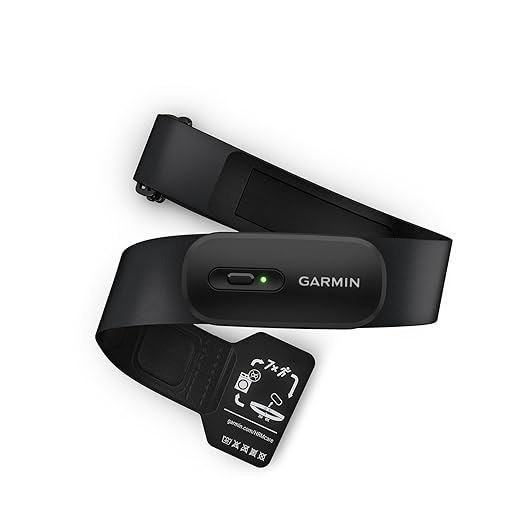
Pairing and priority — the how-to
I always pair sensors while I’m still warm indoors:
Pairing warm prevents time-consuming reconnects and gives the external sensor a solid baseline.
Using the external sensor as ground truth
I let the external sensor lead through the warm-up and first 5–10 minutes of running. If the chest strap and wrist are within ~3–5 bpm, I’ll trust the wrist for the rest. If there’s a persistent offset or erratic wrist spikes, I keep the external sensor as the primary source for the whole session.
Logging and exporting for later comparison
I make sure both signals are recorded:
I import those files into a simple plotting tool or spreadsheet to compare curves—early lag, steady offsets, and spike patterns reveal whether the wrist is trustworthy in the cold.
Why cross-validation matters
Cross-checking taught me patterns: wrist tends to lag during sudden surges and is more affected by cold-induced vasoconstriction. Seeing the numbers side-by-side gives me confidence to either rely on the watch or keep using the external sensor until conditions (or firmware) improve.
In-Run Troubleshooting: Small Fixes That Save a Workout
Quick physical fixes I try first
When the HR readout flickers, I reach for the simplest moves that take seconds:
These have saved me countless workouts when the graph looked like a heart-rate roller coaster.
Warm-up and circulation hacks
Cold makes the problem vascular, so I nudge blood flow:
I usually see a more stable trace within 60–90 seconds after those quick bursts.
Switching sensors fast
If I’ve got an external strap (Polar H10, Wahoo TICKR) paired, I switch priority immediately. If not, I consider a temporary band change mid-run—most straps pair quickly if I paired them pre-run. On a snowy group run, flipping to a chest strap turned a noisy watch trace into a usable file.
When to stop chasing perfect numbers
Sometimes the watch won’t cooperate. If HR is wildly unstable for more than a few minutes, I accept imperfect data and run by feel: perceived exertion (RPE), pace, or power if I have it. Trust your lungs and legs—numbers are tools, not rules.
Adjusting intervals and intensity on the fly
If HR is unreliable during intervals, I:
If you want, the next section covers post-run validation and how to turn these in-run observations into long-term fixes.
Post-Run Validation and Strategies to Improve Long-Term Accuracy
Quick validation steps I do as soon as I stop
I immediately compare three things: the watch file, the chest-strap trace (if I used one), and how hard the run felt. I look for:
If the watchtrace is noisy but the mean and zones line up with the strap and my RPE, I call it usable; if not, I flag the file for correction.
Simple analysis fixes I apply
I use basic, repeatable edits in Garmin Connect / Strava / Golden Cheetah:
These small fixes rescue lots of sessions that would otherwise be tossed.

Maintenance moves that improve reliability over months
Replacing a stretched band, cleaning sensor glass, or re-pairing the watch regularly has tangible effects. Firmware updates from Garmin, Polar, or Apple have fixed errant algorithms for me — I make a habit of updating monthly during the off-season. For chest straps, I swap pads on the Polar H10 yearly.
Logging habits that reveal patterns
I keep a quick note with each run: temp, glove type, sleeve tightness, and whether I warmed hands. Over weeks this shows repeatable conditions that hurt the optical sensor so I can adapt placement or kit.
Experiment patiently—small, consistent tweaks (alignment, smoothing, replacement parts) add up and reclaim valuable training data even on the coldest days. Next, I wrap up with a few final takeaways.
Wrapping Up: Make Cold Runs Count
I recap the core takeaways: warm the wrist, follow a short calibration routine, use external sensors when necessary, troubleshoot smartly during the run, and validate data afterward. These steps are simple, repeatable, and designed to minimize cold-related errors so your training data reflects effort, not temperature.
I encourage you to experiment with these steps, keep a simple log of what works, and adjust based on patterns. Persistence pays off: over time your watch will record truer heart rates and your training decisions will improve. Try one change per week and note the difference soon.

Nice deep dive. A note for belt-skeptics: Garmin HRM-200 and Polar H10 read very differently sometimes — the Polar seems a bit more responsive during sharp intervals. I cross-validate both occasionally and log the Polar as the primary when temps are low.
I’ve got both and I mark the Polar data as the canonical one. Garmin is still useful for redundancy though.
Do you wear both at the same time? Curious about comfort and interference.
I do wear both sometimes (Polar chest + Garmin strap) — it’s a bit weird but fine for a 60–90 min run. No interference issues for me.
Good point — responsiveness differences are real. Polar’s ECG tech handles transient changes better in my experience too.
Lol, I tried calibrating by doing jumping jacks in a snowbank once. Didn’t help. 😂
Serious note: the in-run troubleshooting section is gold. Tightening the strap and moving the watch slightly up the forearm saved my 5k time when temps dropped. Also — anyone else use the GOREWEAR arm warmers specifically for sensor insulation?
Snowbank method = instant viral vid potential. But seriously, if the wind is the issue, sleeve adjustment helps a lot.
If you want, try a quick pre-run HR check in sheltered conditions before exposing yourself to wind — it helps set a baseline for the device.
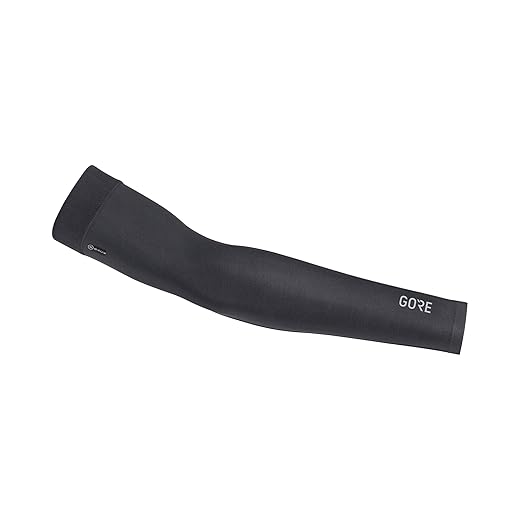
Jumping-jack calibration — love it. GOREWEAR arm warmers do act as a wind barrier and add a bit of insulation; they won’t fix optical sensor limits but they reduce skin cooling and help contact.
Agreed. Pre-run sheltered check + chest strap pairing = fewer surprises.
Yep, GOREWEAR here. They keep the armband and watch from getting frost-nipped and make it easier to press the start button with gloves on.
Short and sweet: loved the troubleshooting list. Saved me a ruined tempo run last winter.
Same here. The small checklist stopped me from ripping my gloves off mid-interval.
Glad it helped, Sophia! Little fixes can make a big difference.
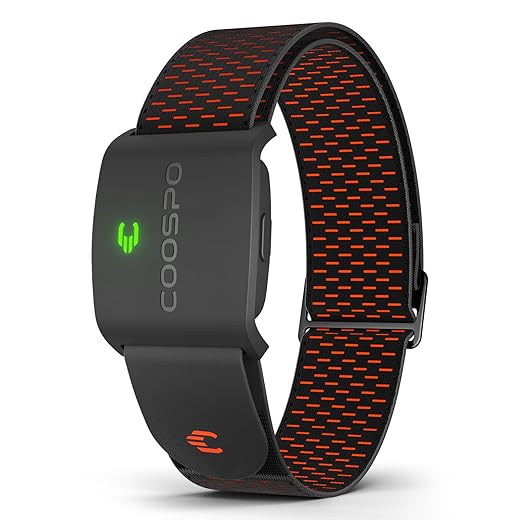
I tested COOSPO HW9 vs Polar H10 and the armband is surprisingly decent for the price. Only downside: it slips sometimes if you sweat a lot. Armband + GOREWEAR sleeve solved that for me though.
I added a strip of medical tape under my armband to stop slipping. YMMV but it worked for a few runs.
Thanks for tips all. Tape trick is low-key genius.
If slippage persists, I go chest strap for intervals and armband for long easy runs.
Good combo — COOSPO + sleeve is a budget-friendly redundancy method. Adhesive or a silicone-lined strap can help prevent slippage.
Huge fan of the ‘Post-Run Validation’ section. I sometimes compare the watch file to the chest strap and align them in the software. Also, small PSA: if you use the COOSPO armband, make sure it’s snug but not choking your arm — it reads best that way.
Exactly — snug but not tight. COOSPO HW9 works well under a sleeve. Thanks for the reminder.
Does anyone use adhesive electrodes under the chest strap in extreme cold? I tried once and it made a difference for ECG contact.
I had a bruise from wearing an armband too tight once 😂 learned the hard way. Comfort matters for long runs.
I switched to the Polar H10 last winter and honestly my HR data became usable again. Chest strap > wrist for freezing temps IMO. Still curious if anyone has success with the Alexa Built-In 44mm in subzero?
Polar H10 is solid — ECG sensors are much less prone to optical issues from cold. The Alexa watch is okay but its optical sensor suffers like most wrist devices; if you need accuracy, pair it with a chest strap.
I’ve used the Alexa watch down to -5°C without total failure, but it lagged during intervals. For steady-state it’s acceptable; for intervals I’ll always trust a chest strap.
Also remember contact quality matters — thin base layers and a bit of moisture (not soaked) help chest straps read better in the cold.
This article is super practical. I wanted to share my experience:
– I used to get spikes when the watch was exposed to wind.
– Now I tuck the wrist under my sleeve and use an armband under the jacket.
– Post-run I validate with my Garmin HRM-200 and fix the data points in Strava if needed.
Does anyone edit HR data in post or do you leave it raw?
I edit the big spikes too. If I’m delivering coaching data, cleaned is better; for personal tracking I sometimes leave raw just to remember the tech quirks 😂
Thanks for sharing, Hannah — I do edit spikes when they’re obviously wrong (huge jumps during steady effort). I usually keep raw data for transparency but annotate the cleaned file.
Great write-up — loved the step-by-step calibration routine. I always forget the pre-run warm-up for the wrist area, and that tip about arm warmers (GOREWEAR) was a nice practical touch.
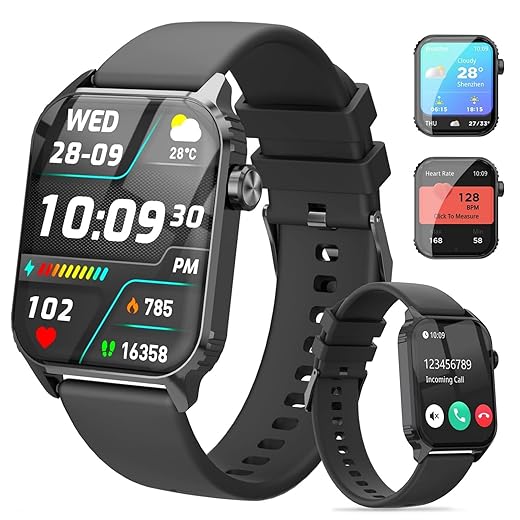
Quick q: do you find the TG08 smartwatch holds its calibration for long runs in -10°C? I’ve had mixed results with cheap smartwatches freezing up.
Thanks, Emily — glad it helped. The TG08 can be hit-or-miss in very low temps; it usually lasts fine for an hour or two, but battery drain and occasional sensor lag can happen. I recommend doing a short validation lap early in a long run and carrying your phone as a backup data logger.
Agree on the validation lap. I once did a 20-min steady and saw the wrist HR drop by 20 bpm until I switched to my Polar H10 chest strap. Chest straps are way more consistent in the cold.
Good tip, Olivia. The COOSPO HW9 under a GOREWEAR sleeve is one of my go-tos when I don’t want chest straps on long tempo runs.
If you can, try the COOSPO armband under the arm warmer — it saved me from having to unglove and fiddle with the watch mid-run.
Sarcastic take: apparently my watch thinks my heart rate drops when I see ice, so it’s ‘calibrated’ to be terrified. 😂
Real talk: anyone found that certain watches (TG08, Alexa watch) just refuse to be accurate unless paired with a chest strap? Feels like a software thing.
Thanks. Guess I’ll stop shouting at my wrist and buy a Polar H10.
Haha, watch panic mode — relatable. Optical sensors are fundamentally limited by skin perfusion and motion. Pairing with chest straps is the pragmatic solution, especially in cold.
Yep, the TG08 is decent for general use but not drama-free in freezing temps. Chest strap for the win.
Really helpful article. Two small requests:
1) Could you add a printable pre-run checklist (like 5 bullet items)?
2) Any recommended settings on the Alexa Built-In 44mm to minimize sensor lag?
Love the focus on post-run validation. Makes me less anxious about winter training.
Awesome — I’ll include a short troubleshooting mini-guide for the popular watches listed in the article.
Also try toggling any power saving modes off before a hard session so the sensor sampling rate stays high.
Great suggestions, Grace. I’ll add a printable checklist. For the Alexa watch: enable continuous HR only when needed, reduce screen wake to save battery, and make sure firmware is up to date — those help reduce lag somewhat.
Perfect, thanks! Firmware updates actually fixed a weird lag for me last season.
Great article. Quick tip that worked for me: warm the chest strap with your body heat (keep it under your jacket for 10 min) before strapping on; sensors wake up better. Also, typos in the last para? meant ‘Make cold runs count!’ lol 😅
Pre-warm + a little sweat = perfect adhesion and signal. Just don’t overdo it or you’ll be soggy 😂
Nice trick, Jorge — pre-warming sensors helps. And thanks for catching the typo! I’ll fix that.
Hah, typos are part of the charm. But yes, pre-warming is low-effort and high-return.
Constructive feedback: the ‘My On-Wrist Calibration Routine’ is super useful but could use photos or short clips — seeing strap placement and exactly how far up the forearm helps newbies avoid mistakes.
Also, is there any guidance on how to handle heart rate zones when readings are unreliable? I.e., should we shift to perceived exertion if the device is flaky?
Photos + short video clips would be a game-changer. Even a quick GIF of strap placement would help.
RPE is underrated. I run with HR and RPE together and trust RPE if HR starts acting weird.
I’ll add a short subsection on RPE fallback and sample notes to keep in the training log. Thanks for the nudge.
If you’re training by zones, log the session as RPE-based and note the tech glitch. Coaches can work with that.
Great idea, Daniel — visuals would definitely help. On zones: yes, fallback to RPE (rate of perceived exertion) is what I recommend when device data is suspect. Use perceived effort plus pace as anchors until the device stabilizes.
Quick neutral comment: good structure and checklist. Maybe add a short table with product pros/cons (Polar H10 vs Garmin HRM-200 vs COOSPO) for quick reference?
Thanks Zoe — I like that suggestion. I’ll add a compact comparison table in the next revision.
Yes please — a bullet list would be fine too. I’m always toggling between accuracy, cost, and comfort.