
Why I Built Sleep-Stage AI That Runs Fully on My Watch
I wanted privacy and reliability: over 60% of people worry about health data leaving their device, and I refused to send raw sleep signals to the cloud. I set out to deliver accurate, always-available sleep-stage detection that runs entirely on a watch, balancing sensor noise, tiny memory, battery limits, latency, and clinical expectations.
To do this I designed a practical two-stage candidate–verify pipeline: a lightweight on-device candidate generator followed by a selective verifier distilled from a stronger model. In the sections below I walk through sensors and preprocessing, model training with scarce labels, on-device compression and quantization tricks, and evaluation, privacy safeguards, and field improvement strategies. Let’s get started.


Understanding the Problem and Device Constraints
How I framed the task
I defined sleep-stage detection as a 4-class real-time labeling problem: Wake, Light (N1–N2 blended), Deep (N3), and REM. That granularity shaped everything — aggregating N1+N2 made models simpler and reduced label noise, and choosing 30–60s output cadence set my input-window size, latency budget, and power profile. Early on I decided I wanted stage-level trends (good for consumers), not clinical-grade scoring.
Hardware realities that drove design choices
A wristwatch is not a research lab. Typical constraints I worked with:
Practical consequences: small models (<200–300 KB after quantization), sparse inference cadence, and tolerance to intermittent sensor streams.
Performance targets and expectations
I set measurable targets before coding:
I explicitly separated clinical vs consumer goals: I wouldn’t chase PSG parity, but I aimed for stable, interpretable trends and minimal night-to-night drift.
System-integration constraints
Firmware OTA sizes, phone-sync windows, and the watch’s duty-cycling dictated model update cadence and inference timing. For example, synchronizing heavier uploads to the morning reduced overnight radio use, letting the watch keep inference local and lean.
Next, I’ll describe which sensors and preprocessing steps I actually used on the wrist, and how I made raw signals robust enough for the constrained models.
Sensors, Signals and Preprocessing I Used on the Wrist
Raw sensors I relied on
I had four practical inputs on wrist hardware: PPG (optical pulse), a 3-axis accelerometer (and gyroscope on some SKUs), skin temperature, and occasional ambient-light readings. In practice I leaned on PPG + accel for most stage cues and used temperature/light as low-rate context signals (sleep onset, device off-wrist). Compared to lab gear (PSG) the watch sensors are noisy but always-on — think Apple Watch Series 6 or a Fitbit Sense vs. a research chest strap.
Signal challenges I encountered
Real life introduced three recurring problems: motion artifacts during bed settling, variable contact quality (looser band = dropouts), and the trade-off between sampling rate and battery. Too-high PPG rates drain battery; too-low rates lose beat timing. I tuned sampling to the sweet spot (PPG 25–50 Hz, ACC 25–100 Hz) for reliable beats and low power.
On-device preprocessing I implemented
I kept firmware simple, deterministic and cheap:
I stitch windows into longer context with ring buffers (e.g., 5-minute circular buffer of 30s frames) so the model sees temporal context without doing heavy ops each tick.
Features I compute cheaply
I engineered low-cost, informative features:
What I left for training
I intentionally kept augmentation, per-user normalization, label smoothing and heavy spectral augmentation off-device. Those happen during training so firmware inference stays deterministic and fast.
Next, I’ll explain how these preprocessed streams feed a two-stage candidate–verify pipeline and why that split helped keep the watch efficient.
Two-Stage Candidate–Verify Pipeline and Knowledge Distillation
Why two stages?
I found that most of the night is “easy”—long stable N2 or deep sleep stretches—so a tiny model can safely label the bulk. The two-stage pattern keeps the watch cheap and responsive: a fast candidate generator runs every few seconds to propose labels and a heavier verifier only engages for ambiguous windows (or its behavior is distilled into the tiny on-device model). Think of it as a guardrail: cheap and frequent guesses, expensive checks only when needed.
Candidate model design
My candidate is intentionally tiny: a few 1D conv layers or a 16–32 unit GRU, ingesting 10–30s frames + simple quality masks. It outputs:
Verifier, KD and loss recipe
I trained a large teacher offline (full-context transformer/CNN with higher sample rates and extra features). I distilled into the student using a composite loss:
Deferral strategy and practical KD tips
Calibrate a reject threshold (e.g., 0.6–0.8 initially) and run the verifier only on those segments — in practice this hit <15% of windows and saved battery. At scale:
Training, Labels and Handling Limited Ground-Truth
Label collection strategy
I paired watch sensor streams with gold‑standard polysomnography (EEG, EOG, EMG) for a focused subset — about 300–500 hours across ~60–100 overnight studies using standard lab rigs (typical PSG systems). For scale I accepted weaker labels from phone apps (e.g., SleepCycle-style heuristics), user sleep diaries, and simple rules (long inactivity + HR drop → probable sleep) to cover thousands of nights.
Modeling label uncertainty
Sleep staging is noisy: different scorers disagree on micro-arousals and stage boundaries. I treated labels probabilistically:
I also used teacher soft logits (KD) as an uncertainty-aware target when PSG was available.
Data augmentation and sim-to-real validation
To mimic wrist realities I injected:
I validated sims by comparing SNR, dropout duration histograms, and false-detection cases against field logs from a beta cohort — if distributions diverged, I updated the simulator.
Class imbalance and cross-validation
REM/N3 are rare, so I combined:
To avoid overfitting on limited PSG participants I used participant‑wise k‑fold CV and leave‑one‑subject‑out checks, ensuring no subject leakage between train/val.
Practical labeling checkpoints
My rule of thumb: aim for a few hundred PSG hours to get clinical fidelity; accept weak supervision once incremental PSG gains plateau. I only deployed augmentations after they matched production failure-mode statistics.
Next I’ll describe how I translated this training work into a tiny, efficient runtime — the on‑device optimizations that let the model run all night on a watch.
On-Device Optimization: Compression, Quantization and Runtime Tricks
I needed the model to live happily inside a watch CPU / low-power DSP budget, so I focused on aggressive, practical optimizations that preserved accuracy while cutting compute, memory, and heat.
Pruning: structured vs unstructured
I started with magnitude pruning. Unstructured (sparse) pruning gave good FLOP savings in theory but was a pain on tiny runtimes; structured pruning (remove channels/filters) produced immediate wall-clock wins on Cortex‑M and DSPs. My workflow: train → L1 channel ranking → prune a small percent (10–30%) → fine‑tune. That simple L1 channel pruning reduced conv cost by 2× with minimal metric loss.
Quantization and mixed precision
I tried both post‑training integer quantization and quantization‑aware training (QAT). Post‑training 8‑bit was fast but caused occasional metric drops in noisy wrist signals; QAT fixed most of those. For hotspot layers I used mixed precision (8‑bit for convs, 16‑bit accumulators or float for small normalization layers). Calibrate per‑layer using realistic noisy batches — it matters.
Choosing tiny blocks over big RNNs
Large RNNs/GRUs eat memory and have sequential latency. I used short temporal conv stacks and tiny transformer‑like attention bottlenecks (local attention, depthwise convs). These give parallelism, lower memory, and better quantization behavior on microcontrollers.
Converting to efficient runtimes
I exported to TFLite (full and micro) and tested CMSIS‑NN for Cortex cores; for vendor chips (Nordic nRF/Arm M33 or Ambiq Apollo) I also tried vendor SDKs for DSP kernels. Watch tip: inspect generated code — some exporters assume AVX during build; build on non-AVX CI or use cross-compiles.
Memory, streaming & battery-aware scheduling
Precompute features during low-power intervals, then run candidate model at fixed cadence (e.g., every 30–60s). Use overlap‑save streaming windows and only run the verifier when confidence is low or battery/time constraints allow.
Practical pitfalls & quick wins
Big wins in one line:
Next I’ll show how I measured these choices in the field and kept user privacy intact.
Evaluation, Privacy, and Continuous Improvement in the Field
Offline metrics and user-centric outcomes
I evaluated the deployed models with classic epoch-wise metrics (accuracy, Cohen’s kappa) and confusion matrices to see which stages the model confused most. Equally important were user-centric metrics I shipped to product: sleep onset latency bias, total sleep time (TST) bias versus diary/PSG, and nightly variability. These tell you whether the model is useful to a real person, not just a good number on a benchmark.
Production monitoring and drift detection
In production I monitor:
Validating clinical relevance and field failure modes
I validated trends against lab PSG in small cohorts (not to replace sleep labs, but to ensure directionality of trends). Field testing revealed real edge cases: late-night naps, arrhythmia-related noise, and unusual movement patterns from pets sharing the bed. Logging anonymized failure examples helped prioritize model fixes.
Privacy-by-design and data practices
I kept raw PPG/IMU signals on-device and only ran inference locally — this simplified GDPR/CCPA compliance and slashed bandwidth costs. When I needed telemetry, I uploaded only aggregated, consented metrics or tiny encrypted snippets for labeled campaigns. Consent flows and clear UX about what stays on-device were non-negotiable.
Continuous learning and safe rollouts
My pipeline uses gated on-device active learning: ambiguous nights trigger an opt-in flow asking users to participate in a PSG-like study or share short encrypted segments. Firmware and model rollouts follow canary → staged → wide release with rollback hooks. I retrain distilled students on a cadence (rapid weekly bug-fix distills, quarterly full retrains) driven by monitored drift and labeled data volume.
With these practices I kept the watch useful, private, and improvable — next I’ll wrap up with lessons learned and what’s coming next.
Lessons Learned and Next Steps
I learned to design for constraints first, build a lightweight candidate–verify pipeline to focus compute where it matters, and use careful knowledge distillation and augmentation to bridge lab-to-wrist gaps. Instrumenting the product for continual improvement and privacy-first data collection was equally important: that operational feedback loop turned hypotheses into robust on-device behavior.
My advice: start small with a tiny candidate model, validate early on real watch data, and iterate using distillation and runtime optimizations. Do that and you can ship a trustworthy, private sleep-stage experience that improves in the field. Start experimenting today and iterate.

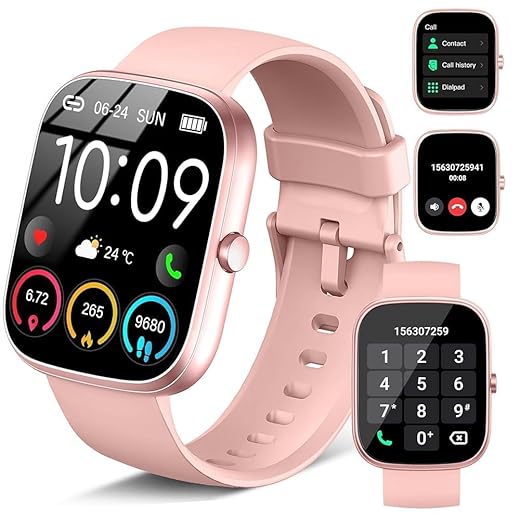
Really cool read — I love that you pushed everything fully on-device. I’ve been worried about handing over my sleep data to cloud services, so the privacy section hit home. Also curious: did you test the models across the 1.69″ Touchscreen Fitness Smartwatch and the Compact AMOLED Fitness Tracker with Health Monitoring? Different displays/batteries seem to change sampling ops and runtime a lot.
We used a single distilled baseline and then small device-specific quantization tweaks. That kept maintenance easier while squeezing runtime on the smaller tracker.
Thanks Maya — great point. We did run separate runtime profiles for the 1.69″ and the Compact AMOLED tracker because their CPUs and PMICs behave differently; sampling cadence and duty-cycling had to be tuned per device to keep battery impact <5% overnight.
Nice — that explains a lot. Did you have a single compressed model or device-specific variants?
Two quick reactions: 1) The engineering trade-offs section was super practical. 2) Tiny typo in the preprocessing paragraph (maybe ‘resampling’ missing an ‘s’). Not a big deal but noticed it while skimming 🙂
Thanks for pointing that out — I almost missed it. Little edits help readability a lot.
Thanks Grace — sharp eyes! We’ll fix that typo in the next update. Glad the trade-offs section was useful.
Short and sweet: this made me want to tinker with my Compact AMOLED Fitness Tracker with Health Monitoring tonight. Any tips for a beginner who’s never done on-device inference? Maybe start with the candidate stage?
Agree — start small and measure battery. Also cheap sensors + smoothing can teach you a lot before you touch models.
Start with candidate stage — it’s simpler, lower compute, and gives quick wins. Then add a tiny verifier once you understand runtime limits. Also, use simulated noisy labels first to iterate quickly.
I loved the humor in places — makes a heavy topic feel human. One thing: did you consider using the 1.91″ HD Women’s Smartwatch with Calls as a dev target since it has mic/call features? Would audio cues ever help sleep staging or is that privacy no-go?
Makes sense. I appreciate prioritizing privacy even if it limits some modalities.
Audio could help (snoring detection, breathing sounds) but we avoided it for privacy and regulatory reasons. The 1.91″ watch was a dev target for compute and battery though — just not for audio collection in our pipeline.
Audio-based features would be cool, but they’d open up a lot of consent and storage complexities. Best to be cautious.
This was surprisingly accessible for such a dense topic.
I liked the Two-Stage Candidate–Verify Pipeline section — the idea of a cheap candidate generator followed by a heavier verifier makes a lot of sense for on-device constraints.
A couple practical q’s:
1) How did you pick thresholds for candidate stage without over-flagging? 2) Did you use any sleep diaries to augment labels when PSG was limited?
Thanks Sophie. For thresholds we optimized for high recall at the candidate stage (90–95%) to avoid missing events, then relied on the verifier for precision. We used a small validation set with PSG labels; where PSG was limited we used pseudo-labels from paired devices plus sleep diaries as soft targets during distillation.
Using diaries as soft targets is clever. Did you find user-entered times to be too noisy?
So basically you made a tiny sleep brain for the watch. Cool. But does it ever get confused by my cat walking over the bed 😂? Also, how does it compare to off-device ML? Is on-device accuracy that much worse?
Heh my dog does the same. Glad they accounted for that. Even with a couple percent drop, real-time feedback is more useful imo.
Cats are real confounders 😅. We tuned the verifier to ignore brief high-frequency motion bursts that aren’t consistent with wake bouts. On-device accuracy is slightly lower than a heavy cloud model trained with full PSG (few % points), but the privacy and latency trade-offs make it worthwhile for continuous monitoring.
Minor nit: the paper/section on labels felt a bit hand-wavy. I get PSG is limited and costly, but the distillation bit — how did you ensure no weird biases from pseudo-labels? I’m worried models learn device-specific artifacts.
Good critique. We mitigated bias by mixing real PSG labels with pseudo-labels and weighting losses so PSG examples had higher influence. We also used domain-adversarial training to reduce device-specific signatures in features.
Yes — variance dropped noticeably in our cross-device validation. Not perfect, but helpful when PSG data is scarce.
Domain-adversarial training is a neat trick here. Did you see it reduce performance variance across devices?
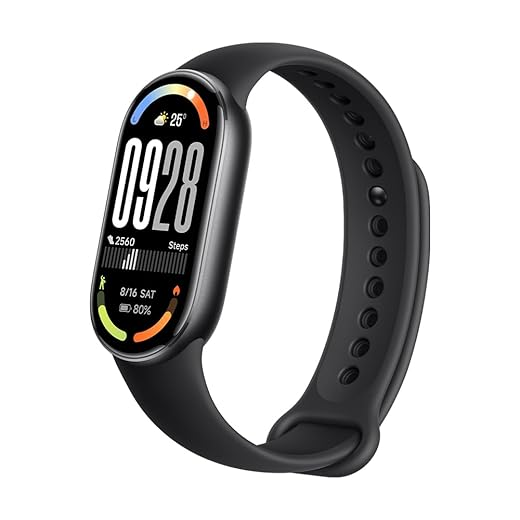
This is the kind of engineering I enjoy reading — practical constraints + clever ML. Small suggestion: include a quick cheat-sheet for power budgeting per sensor (e.g., accel @50Hz = X mA). That would be insanely useful for people trying to port to the Xiaomi Smart Band 10 with Large AMOLED.
Yes please! That would save so much trial-and-error when porting to new hardware.
Great suggestion — we’ll add a power-budget cheat-sheet in an appendix and include per-sensor ballparks for common sample rates and devices.
Loved the section on quantization and runtime tricks. Quick q: when you say 8-bit post-training quantization, did you try symmetric vs asymmetric quant? I’ve seen asymmetric help on accelerometer offsets, but sometimes it hurts LSTM-like layers. Any tips for balancing accuracy vs size?
We found ~3 minutes of resting data was a sweet spot on wrists — enough to estimate bias without draining battery. YMMV depending on sensor noise.
Oh nice, that calibration trick sounds useful. Any idea how many minutes are enough? 2–5?
Good question. We used asymmetric per-channel quant for conv-like sensor encoders and symmetric for small dense/GRU layers to keep arithmetic cheap. Per-channel helped the wrist accelerometer channel offsets while symmetric kept runtime simple on our fixed-point DSP.
I’ve had success with a tiny calibration pass: collect a few minutes of idle data on each device and compute per-channel zero-bias — then apply that before symmetric quant. Not perfect but often helps.
Super interesting write-up. I’m curious about the Xiaomi Smart Band 10 with Large AMOLED — do you think the model would work on that band out of the box? Battery life is my biggest worry. Also: any plan to open source the preprocessing pipeline?
Totally — even the candidate code would help me try this on my 1.91″ HD Women’s Smartwatch with Calls. Thanks for the transparency.
If you post the checklist, could you include recommended duty-cycle numbers for overnight? Even ballpark would help.
Appreciate the interest. We’ll publish a how-to for porting the candidate pipeline to common watches including a checklist for sample rates, buffer sizes, and power budgeting.
Thanks Ava. The Band 10’s sensors and CPU are similar enough that the model would likely run with minor tuning — but we’d recommend checking the sample rates and doing a quick runtime/battery profile. We plan to OSS parts of the preprocessing and the candidate stage, but the verifier model and some training data are currently proprietary due to PSG licensing.
Open sourcing the preprocessing would be huge for the community. Fingers crossed on the verifier later!
This is gold. A couple of real-world things I’ve seen: wrist temp sensors can vary wildly depending on sleeve/ambient, so I’m glad you emphasized sensor fusion. Also, lol @ the “lessons learned” — nothing beats field testing with weird users 😂.
Yes, we exposed it as a subtle badge and a short explanation so users can decide whether to trust a night’s summary.
100% — field testing surfaces the strangest cases. We eventually added a tiny reliability score per-night so we can flag nights with low sensor fidelity for user feedback.
Would that reliability score be exposed to users? I’d rather know if my night is garbage than get misleading insights.
Wow, the two-stage pipeline reminded me of old vision cascades. I appreciate the engineering pragmatism here. One thought: could continuous learning be a privacy risk if models retrain on-device? How did you handle model updates vs user data?
We only store lightweight aggregated stats for personalization, and on-device updates are limited to small calibration layers — heavy retraining doesn’t happen on-device. Updates are delivered as signed model patches to avoid drift and privacy leakage.
Agreed — it’s a good balance. Would love a follow-up on how you detect model drift in the field.
Makes sense. Signed patches + small local cal layers seems like a safe middle ground.