
Get Accurate Elevation — Fast
I’ll show you a practical, six-step routine to calibrate the Garmin Venu 3 altimeter so your elevation readings stay reliable on every hike; quick, friendly, and confident guidance with simple checks, manual calibration, verification, and troubleshooting, no guesswork here, guaranteed.
What I Use

Know Why and When to Calibrate
Think of calibration as a tune-up — when was the last time your altimeter had one?Decide whether calibration is needed. Barometric altimeters drift with pressure and temperature, so recalibrate before long hikes, after big weather changes, or whenever the elevation looks wrong.
Check if I’m starting at a known elevation. Use a trailhead sign, a topo map, or a reliable parking-lot elevation as my reference.
Choose calibration based on conditions:
Use GPS auto-calibration only if I don’t have a known elevation; verify it against a map when possible.

Check Firmware and Settings First
A quick update can fix weird readings — I never skip this step.Update my Venu 3 firmware via Garmin Connect if needed — I do this because software fixes and sensor tweaks matter. I use Garmin Connect Mobile on my phone for the quickest install.
Open the watch settings and inspect the sensors. Confirm the altimeter/barometer sensor is enabled (often under Sensors & Accessories or Sensors).
Confirm these key options:
Enable or disable auto-calibration depending on whether I plan to set a manual reference. For example, I disable auto-cal when I’ll enter a precise trailhead elevation; otherwise I leave it on to let GPS refine readings. This prevents surprises when I try to calibrate manually.
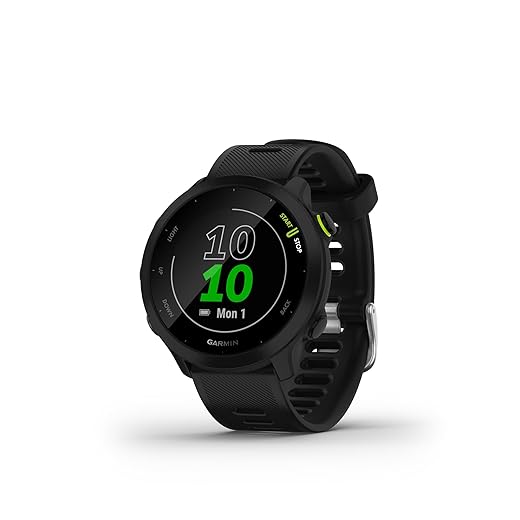
Choose Your Calibration Method
Manual elevation vs. GPS auto-calibrate — which one wins? Spoiler: I use both, depending on conditions.Choose the calibration method that fits the situation. I pick manual calibration when I have a reliable elevation reference — a trailhead sign, topo map coordinate, or known summit — because manual gives the most stable altimeter for the day. For example, at a marked trailhead I enter the sign’s elevation and the Venu 3 holds steady through weather changes.
Choose GPS auto-calibration when I don’t have a known elevation or I’m already moving. I start an outdoor activity in open sky and let the watch lock GPS for a few minutes so it can auto-correct.
Manually Calibrate the Altimeter (Step-by-Step)
Enter a single number and watch accuracy improve — yes, it’s that satisfying.Follow these quick steps when I have a reliable starting elevation.
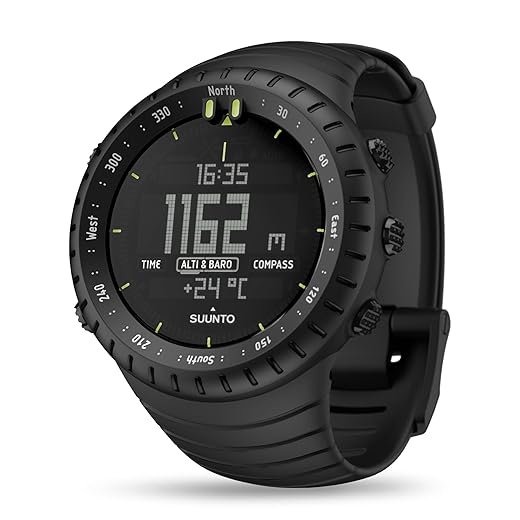
Verify and Fine-Tune on the Trail
Don’t trust a single number — I verify and adjust so readings stay useful.Compare the Venu 3 reading to a known checkpoint — I use trail signs, creek crossings on my topo map, or my phone map.
Re-enter the correct elevation if the watch is off by more than a few meters; I usually accept up to ±5 m. Re-check every few hours or at clear landmarks during long hikes or when weather changes. Watch for sudden barometric shifts (storm fronts) and recalibrate immediately if altitude starts drifting unusually. Remember: on a ridge I once found the Venu 3 8 m low — a quick recalibration fixed my navigation.
Practical Tips and Troubleshooting
Little habits that keep my altimeter honest — and save me headaches on the ridge.Calibrate at the trailhead whenever possible; for example, I set elevation right after parking and before I strap on my pack.
Avoid calibrating near heat sources (car engines, camp stoves), heavy winds, or indoors with poor GPS — I once saw readings jump next to a warm grill.
Check for firmware updates, restart the watch, and toggle auto-calibration if readings keep bouncing.
Record the trailhead elevation in my notes for multi-day trips and recalibrate each morning to track barometric drift.
Balance GPS-fix time with battery life: use longer fixes for key climbs, but shorten fixes during flats to conserve power.

Ready to Hike with Confidence
I now trust my Venu 3’s altitude because I update firmware, pick a method, calibrate manually, verify on trail, and tweak as needed—taking minutes to confidently avoid headaches later. Ready?

Worked through step 3 and realized I was overthinking it. 😂
Manual calibration + a quick verify on the trail = done.
Note: the troubleshooting section saved me when my altimeter kept jumping during a storm. Good read!
Glad it helped, Jason — storms are a real nuisance for baro altimeters. If you expect unstable weather, rely on manual checks at waypoints instead of automatic mode.
Same here. Stormy day = manual everything. I also switch off auto-barometer if I know pressure will change fast (like before a frontal pass).
Great guide — short and useful!
I followed steps 2 and 4 before a weekend hike and the elevation readings stopped drifting after about an hour.
Tip: if you start at a trailhead with a known elevation, set it manually (step 4) and then verify on the trail (step 5).
Also, the part about checking firmware (step 2) saved me — my watch had an update waiting.
Thanks! 😊
Haha same here — thought it was my hiking skills 😂. Good reminder to sync before leaving.
Thanks, Emily — glad it helped! For anyone else: if you set the altimeter manually at the trailhead, re-check after any big weather change. Barometric altimeters are sensitive to pressure shifts.
Totally — I learned the hard way. Left without updating firmware and got weird spikes on the descent. Lesson: update BEFORE you leave home.
I had constant drift even after following the manual calibration steps — at first I thought my watch was busted.
Turns out I had my Venu 3 set to automatic calibration (baro mode), and the local pressure changes from a storm messed it up.
After switching to manual calibration and using a known elevation point (from a trail sign), things stabilized.
Question: the guide mentions ‘Verify and Fine-Tune on the Trail’ — any tricks for doing that when summit signs are missing?
Is using the GPS elevation good enough or should I look for other landmarks?
Great detail, Sofia — and sorry you ran into that. If there’s no sign, GPS elevation can be helpful but is less accurate than manual baro setpoints. Look for trailhead kiosks, park maps, or official trail apps that list elevations. Another trick: if you know a stream crossing or a junction that’s listed in a guidebook with elevation, use that.
I usually carry a paper topo map and note a contour intersection that matches the trail — old-school but reliable. GPS gives you a ballpark but can be off by 10s of meters.
Adding: if you have cell signal, check online topo maps (AllTrails, Gaia, etc.) for spot elevations. If not, topo map + visual landmarks are your best bet.
Agree with topo maps. Also, if you pass a survey marker or benchmark, that’s gold. They’re rare, but worth checking for.
Really practical guide — I like the 6-step layout. A couple of quick notes from my hikes:
1) After a long flight, your altimeter can be totally off — recalibrate at the trailhead.
2) Small temp swings affect readings too, so if it’s cold in the morning and warms up midday, double-check.
3) Don’t forget to check the watch straps 😅 (jokes, but loose fit can mess with sensors if it tilts weirdly).
For multi-day hikes I reset daily in the morning when temps are stable. Works well for me. 👍
Also carry a small backup like a phone with a topo app. If your watch misbehaves, you’ve got a fallback.
That strap point is underrated 😂 My watch sliding around gave me some wild spikes once.
Excellent additions, Maya — especially the post-flight note. Temperature shifts and strap fit are easy to overlook. Thanks for sharing!
Quick tip: wear the watch snugly above the wrist bone during activities, and clean the sensor contacts occasionally. Helps reduce odd readings.
Nice walkthrough but kinda obvious stuff in places. Firmware check is useful, sure, but the barometer drift explanation could use more detail.
Like: how much change in pressure equals X meters? And do I need to recalibrate every few hours?
Not trying to be picky — just would love a quick cheat-sheet for ‘how often to recalibrate’ on a normal day.
Good point, Noah. Short answer: there’s no exact time interval because it depends on weather and how long you’re out. Practically, verify at known points (trailhead, ridgeline, summit) and after big weather/temperature changes. We’ll consider adding a compact cheat-sheet in a future update.
From my experience: check every 2–3 hours on multi-day trips and whenever the sky/clouds change. If you’re on a short day-hike, once at the start and once near the top is usually enough.