
Why Compass Calibration Matters on Windy Coasts
A single bad calibration can turn a calm coastal flight into a drifting, spinning nightmare — and you may lose your drone. When you fly near the shore, strong gusts meet magnetic disturbances from railings, vehicles, and buried metal, making reliable heading data critical.
You need a compass that reads true so GPS assists and autopilot hold heading correctly. This article shows how to understand compass behavior at coastlines, plan preflight checks and pick the best ground spot and tools, and follow a step-by-step calibration tuned for windy conditions.
You’ll also get simple in-flight tests to verify and validate stable headings, plus maintenance, troubleshooting, and coastal best practices to reduce drift and unexpected yaw. Follow these practical, safety-focused steps and your coastal flights will be steadier, safer, and more predictable. Read on to learn quick checks, detailed steps, and emergency recovery tips today.
Understand Compass Behavior and Coastal Interference
You’ll begin by learning the fundamentals of how your drone’s magnetometer (compass) interacts with the environment so you can interpret errors and decide when recalibration is necessary. This section explains how magnetic heading, GPS heading and IMU data combine to maintain stable flight, and how coastal features—saltwater, metallic beach structures, parked cars, cliffs with embedded metal, and even large gatherings of people—can create localized magnetic anomalies. You’ll learn the common warning signs of compass issues (frequent heading changes, compass error alerts, red symbols in your controller app, and unexpected drift), how wind can amplify apparent compass problems by introducing movement and oscillation, and why you may see differing behavior between takeoff sites just a few meters apart. By understanding these mechanics you’ll be better prepared to choose a safe calibration location and interpret in-flight telemetry if problems arise.
How the sensors work together (plain-language)
Your drone combines three primary inputs:
A sensor fusion algorithm (often an EKF) blends these. If the compass reads wrong, the EKF can mistrust heading and produce yaw corrections that feel like drift or oscillation. On many DJI models (Mavic Air 2, Mavic 3) and Autel Evo II, you’ll notice the controller app flagging a “compass error” well before the flight becomes unsafe.

Coastal culprits and what you’ll see
Warning signs to watch in telemetry:
Wind magnifies everything: a gust that tilts or moves the aircraft can make a marginal compass error turn into a visible oscillation. You may get perfectly fine readings 5 meters left, and bad readings 5 meters right — that’s a spatial anomaly, not a broken drone.
Next you’ll learn how to choose the best spot and tools for preflight checks so your calibration actually solves these problems rather than masking them.
Preflight Planning: Choose the Best Spot and Tools
Quick site survey: scout like a pro
Before you power up, take 60–90 seconds to walk the takeoff zone. Look for a sheltered location behind dunes, a parked vehicle, a wooden windbreak, or a lifeguard hut — anything that breaks the wind and keeps you low-profile. At the same time, keep clear of obvious magnetic hazards:
A quick anecdote: pilots who move just 10 m down the beach often go from constant compass warnings to a clean calibration — these fields can change over very short distances.
Tools that actually help
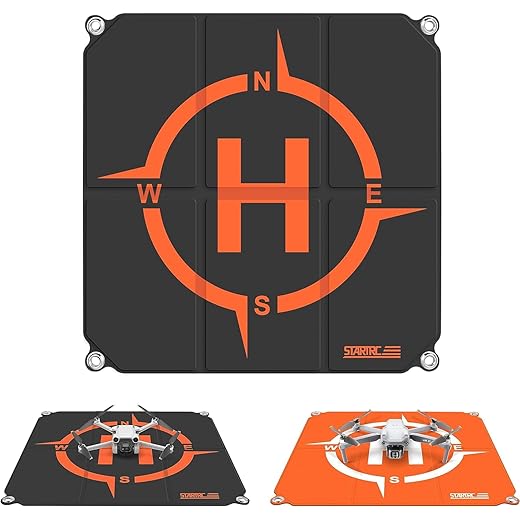
Bring simple, lightweight gear that reduces repeated calibrations and speeds setup:
Pre-power checks: firmware, batteries and hardware
Run this short checklist before the props spin:
Managing crosswinds while you set up
If steady wind is present, face your equipment into the wind and set up behind the most consistent windbreak you can find. Have your helper hold the drone low (without props) while you start calibration routines. If gusts are unsteady or the drone rocks even off props, delay and move to a more sheltered micro-site.
When to postpone
Postpone calibration if you can’t find a spot at the distances above, if sustained winds exceed ~15 mph (24 km/h) or gusts are unpredictable, or if compass readings jump wildly in multiple nearby sites. Better to wait ten minutes for calmer conditions than to start a flight with an uncertain heading.
Next, you’ll walk through a precise, step-by-step calibration routine optimized for these windy coastal setups.
Step-by-Step Compass Calibration for Windy Coastal Conditions
Prepare for the routine
Power up in your chosen sheltered spot, props off. Open your flight app (DJI Fly/Go 4/Autel Explorer) and select the compass or IMU calibration menu. Watch the app’s on-screen instructions — most consumer drones (DJI Mavic Air 2, Mini 3 Pro, Autel Evo II) use the same two-stage pattern: a horizontal 360° rotation, then a vertical rotation.
Automatic calibration (standard, safest in wind)
- Hold the drone waist-high, nose level, with both hands on the body — never on the motors or prop arms.
- Slowly rotate your whole body + drone horizontally through a smooth 360° at walking pace. Keep the aircraft steady against gusts; get a partner to brace it if needed.
- Next, point the nose straight up (or straight down if the app says) and perform one smooth vertical rotation so the gimbal end traces a full circle.
- Pause between stages; wait for the app’s progress bar, color change (yellow → green) or success checkmark and chime.
Manual/assisted techniques when winds bite
Reading the app: what to expect
If calibration fails
Quick on-the-spot hacks (use judiciously)
These steps get you a usable compass heading even on gusty cliffs — next you’ll test and verify that heading in-flight to confirm stability and safety.
Verify and Validate: Tests to Confirm a Stable Heading
Static cross-checks: compass vs. phone
Before takeoff, do a quick, low-effort cross-check. Lay the drone on a flat surface, open your flight app and a smartphone compass (iPhone Compass or Android “GPS Status & Toolbox”), and point both to a known landmark (a pier or buoy works well). Then slowly rotate the drone 360° while watching the heading readout in both places — headings should move smoothly and match within a few degrees. If the app jumps or lags, stop.
Slow-spin consistency test
Hold the drone (props off) and rotate it slowly, watching the heading pointer in the app. Repeat the rotation a few times from different start angles. Consistent, repeatable headings mean the magnetometer is behaving; abrupt 5–10° jumps or random spikes = suspect interference.

Low-altitude hover checks
If the drone can’t hold heading and position with GPS lock, land and reassess.
Small controlled flight legs
Fly short, conservative legs (20–50 m) out-and-back at low altitude:
These quick maneuvers reveal yaw stability and RTH reliability without committing to a long flight over water.
Telemetry and post-flight logs
Check in-app telemetry for “Compass Health,” magnetic interference warnings, and number of satellites. After landing, download logs (DJI/Autel logs or Airdata) and inspect for magnetic variance spikes or repeated compass resets. Look for patterns: consistent spikes near a particular takeoff spot mean relocation is needed.
Interpreting indicators and decision rules
When in doubt, recalibrate and move downwind or 20–50 m laterally to a new micro-site. These quick validation checks take minutes but give real confidence before you fly out over choppy coastal water.
Maintenance, Troubleshooting and Best Practices for Coastal Flying
Keeping your compass and sensors healthy is about routine care plus a calm, repeatable troubleshooting approach when things go wrong. The habits below reduce surprises before you reach the beach and give you clear steps if interference appears mid-flight.
Periodic maintenance and care
Product tips: CRC QD Electronic Cleaner for delicate contacts, Permatex Dielectric Tune-Up Grease for protection, and silica gel packs in your kit bag.
Secure or remove aftermarket metal accessories
Troubleshooting common compass issues
Quick coastal preflight checklist
With these routines you reduce surprises and respond decisively when conditions change—now move on to the final tips that will help you make calibration a consistent habit.
Fly Confidently: Make Compass Calibration Routine
Calibrating your compass correctly and verifying heading stability should become a quick, routine part of your coastal preflight checks. When you understand coastal magnetic risks, pick sheltered setup spots, and follow the step‑by‑step calibration and validation routines outlined here, you substantially reduce drift and make flight behavior more predictable in gusty, variable conditions. Keep the checklist handy, perform the recommended verification tests after calibration, and use simple troubleshooting steps to resolve anomalies before launch.
Make calibration and maintenance a habit: inspect mounts and wiring, update firmware, and document recurring issues to refine your preflight workflow. Over time these small steps save time, stress, and potential recovery missions. Adopt the practices in this article, and each flight will start with reliable heading data and finish with a safe, controlled landing. Fly smart, stay aware, and let consistent calibration be the backbone of your coastal operations.