
Why your smart bulbs flicker when paired with third-party dimmers
You rely on smart bulbs for smooth, customizable light, so flicker feels like a failure. The problem is a mismatch: older dimmers use TRIAC-phase techniques that don’t play well with modern LED drivers, causing stutter, buzzing, or intermittent glow.
This article shows how dimmers and smart bulbs interact, how to read flicker patterns, quick fixes you can try, hardware upgrades and add-ons, and when it’s time to call an electrician.


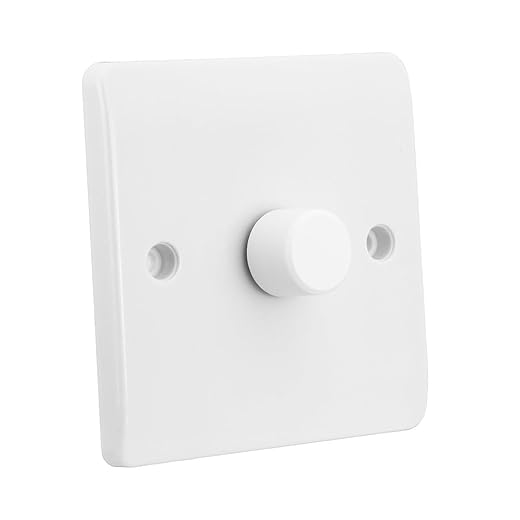

How dimming works and why smart bulbs behave differently
Traditional dimmers: phase‑cut basics
When you turn a conventional dimmer, it doesn’t lower voltage smoothly — it chops the AC waveform. There are two common flavors:
Leading‑edge units were built for incandescent filaments, not electronics, which matters once you swap in LEDs.
How smart bulbs dim inside
Smart bulbs contain an LED driver that converts AC to a regulated DC current. Inside you’ll find smoothing capacitors, constant‑current regulators, and pulse‑width modulation (PWM) or fast electronic switching to control light output. Unlike a filament that gets visibly dimmer with less voltage, an LED driver expects a relatively steady input and then modulates current precisely.
Why the waveform chop causes flicker
When a dimmer slices the waveform, the bulb’s driver sees irregular pulses instead of steady AC. That can cause:
Quick practical tips
Next you’ll see the specific compatibility problems to watch for and how to read different flicker patterns.
Common compatibility problems with third-party dimmers
Legacy (leading‑edge/triac) dimmers
Older, cheap dimmers were built for incandescent filaments. When you pair them with smart bulbs, the chopped waveform can confuse LED drivers and cause flicker or buzzing. Fix: swap to a trailing‑edge/LED‑rated dimmer (e.g., Lutron Caseta PD‑6WCL) or use a bulb the manufacturer lists as compatible.
No neutral at the switch
Many older switches don’t have a neutral wire — fine for mechanical switches, not ideal for some smart dimmers that need power to run their electronics. If your switch box lacks neutral, use a no‑neutral smart dimmer or choose bulbs that tolerate the small leakage those switches allow.
Minimum/maximum load mismatch
Dimmers expect a certain total wattage. If your LED load is below the dimmer’s minimum, regulation becomes unstable and flicker appears. Quick fixes: add more bulbs, move loads to a different circuit, or install a dimmer rated for low‑wattage LED loads.
Mixing LED and incandescent on one dimmer
Putting LEDs and incandescents together changes the overall load profile and can make the dimmer hunt for stability. Best practice: put like‑for‑like lamps on the same dimmer.
Multi‑way (3‑way/4‑way) circuits
Some dimmers don’t play well in multi‑way setups — neutral routing, traveler wiring, or electronic side‑switches can cause flicker. Use dimmers specifically labeled for 3‑way/4‑way use.
Dimmers built for resistive loads
If the dimmer’s electronics expect a resistive filament, the reactive behavior of LED drivers can lead to instability. Choose electronic (trailing‑edge) LED‑compatible dimmers.
Ghosting and leakage currents
A faint glow at “off” is usually from tiny leakage or pilot LEDs in the switch feeding the bulb’s driver. Solutions: add an inline load capacitor/dummy load or use bulbs/switches designed to prevent ghosting.
Bulb firmware and driver differences
Not all smart bulbs are equal — Philips Hue, Sengled, and LIFX have different driver tolerance. When possible, test a single brand/model in your circuit before buying many.
Recognizing flicker patterns and what each means
Not all flicker is the same. The pattern tells a story about whether the bulb, dimmer, wiring, or circuit is misbehaving. Use the descriptions and quick checks below to pinpoint the cause.
Rapid high‑frequency strobing
What it looks like: a fine, rapid shimmer — like a micro‑strobe when you glance across the room.Likely cause: PWM in the bulb driver mismatching the dimmer frequency or a cheap dimmer chopping the waveform.Quick test: film the bulb with your phone at 60–240 fps. If the camera shows visible bands or pulses, it’s PWM related.Products: bulbs from Philips Hue, LIFX, and cheaper no‑brand LEDs vary in PWM frequency; a trailing‑edge dimmer (e.g., Lutron Caseta PD‑6WCL) often fixes it.
Slow pulsing at low levels
What it looks like: the light breathes on and off at low dimmer settings.Likely cause: insufficient minimum load or the dimmer hunting near its floor.Quick test: raise the dimmer slightly — if pulsing stops, the minimum‑load threshold is the issue. Try adding another bulb or use a dimmer rated for low‑wattage LEDs (Leviton DW6HD).
Intermittent flicker when appliances switch on
What it looks like: brief blink when the fridge or HVAC kicks on.Likely cause: voltage sag or shared circuit interference.Quick test: move the lamp to another outlet on a different circuit or observe whether multiple lights blink together.
Steady buzzing or humming
What it looks like: steady flicker accompanied by audible buzz.Likely cause: triac conduction issues in leading‑edge dimmers or poor driver filtering.Quick test: swap the bulb for an incandescent or a known compatible LED — if noise disappears, the dimmer/driver interaction is to blame.
Practical next steps (phone camera, bulb swap, dimmer adjustment) will help you isolate the culprit before trying repairs or replacements in the following troubleshooting section.
Quick troubleshooting you can try right now
Start with the dimmer: simple restore
Put the dimmer at full brightness. If the flicker stops, the dimmer is likely hunting at low output or needs a different type (LED‑rated trailing‑edge dimmer works better than old leading‑edge models). This quick check often separates “dimmer problem” from “bulb problem” in seconds.
Swap the bulb (fast A/B test)
Temporarily replace the smart bulb with:
If the flicker disappears, the smart bulb and dimmer aren’t playing nicely.
Firmware, reset and re‑pair
Update the bulb’s firmware in its app (many fixes come via firmware). If that fails:
This often clears odd behavior caused by a bad pairing or stale settings.
Try a different outlet or non‑dimmed circuit
Screw the bulb into a lamp on a separate, non‑dimmer circuit. If it’s stable there, the issue lives in the dimmer or wiring, not the bulb.
Identify your dimmer safely
Look for labels behind the faceplate or a model printed on the switch. Turn off power at the breaker before removing the faceplate to inspect wiring.
Quick app tweaks that help
In the bulb app, try:
Safety reminder: always turn off power before touching wiring. These steps resolve many flicker cases — if not, the next section covers replacing or upgrading the dimmer.
Replace or upgrade the dimmer: what to choose
When the dimmer is the obvious culprit, replacing it is often the fastest way to stop flicker for good. Focus on switches designed for modern LED loads and the way smart bulbs behave.
Pick the right technology
Verify compatibility (don’t guess)
Consider smart (networked) dimmers
Match the installation
If swapping a dimmer feels like a lot, the next section walks through add‑on adapters and bridge options that can fix flicker without a full switch swap.
Add-on solutions: load adapters, bypass devices and bridges
When replacing a dimmer isn’t practical, small add‑ons can often stop flicker without a full switch swap. Below are common options, what they cost, and how you’d install them.
LED load stabilizers / dummy loads
A tiny resistive/capacitive module adds enough stable load for old triac (leading‑edge) dimmers to behave.
Installation tip: turn off the circuit, mount in the box or fixture canopy, keep wires secure.

Bypass capacitors & leakage fixes
If bulbs flicker because of tiny leakage current (switches with LEDs or neon indicators), a small bypass capacitor or snubber can absorb that trickle and stop pulsing. These are similar to LUT-MLC but may be sold generically as “LED bypass” parts. Costs: ~$5–25.
Retrofit modules and bridges behind the switch
If you want digital control without changing the plate, install an in‑wall module (Fibaro Dimmer 2, Shelly 1/Dimmer) or put bulbs onto a hub/bridge (Philips Hue Bridge, SmartThings).
When to call an electrician: if the box is crowded, you can’t turn off the breaker safely, or you’re unsure about neutrals. Small add‑ons can work wonders, but safety first — don’t guess with live wiring.
When to call an electrician or replace fixtures
Signs you need a pro
If flicker persists after swapping bulbs and dimmers, call an electrician. Common red flags:
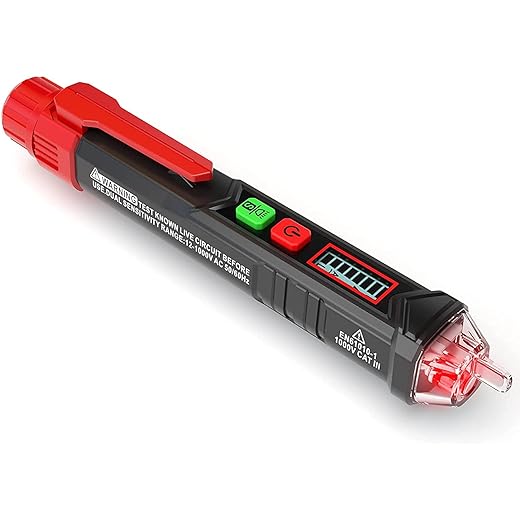
Replace fixtures vs. upgrade switches — which is smarter?
If one bad fixture cycles and causes whole-circuit flicker, replacing that fixture may be cheapest. If you have many recessed LED cans on one dimmer (10+), upgrading to a switch rated for high LED loads or installing a dedicated circuit is often better than swapping every can. Typical cost examples:
Costs, risks, and how to prepare for the service call
Safety risks include shock, overloaded switch boxes, and non‑code wiring that can cause heat or failure. To make the visit efficient, bring or list:
Armed with that, an electrician can diagnose neutrals, multi‑way wiring, and recommend whether a switch upgrade, rewiring, or fixture replacement is the right next step. Next, the Conclusion will tie everything together and show how to match bulbs, dimmers, and wiring for a flicker‑free setup.
Fixing flicker by matching bulbs, dimmers, and wiring
Flicker usually happens when a dimmer’s method of cutting power doesn’t play nicely with a smart bulb’s internal driver. Start by identifying the flicker pattern, run the quick troubleshooting steps, and apply any firmware or app updates for your bulbs and bridge. If immediate fixes don’t work, focus on the long‑term remedy that matches your setup: replace the wall control with an LED‑compatible or smart dimmer, use a load adapter or bypass where needed, or have wiring corrected if the circuit is unstable.
Prioritize safety — if you’re not comfortable with electrical work, call an electrician. Use the compatibility guidance in this article before buying replacements to avoid repeat issues. Do those steps and you’ll keep your smart lighting smooth and reliable; if you need help choosing parts, consult the manufacturer specs or a qualified pro.