
Small plugs, big insights — ideal for lights and gadgets, but not for EVs or heavy loads.
Ever opened your electric bill and wondered which gadgets are secretly chewing power? You can’t manage what you can’t measure — and most outlets give you no clue. The Tapo P110 (4‑Pack) smart plugs bring per‑device energy monitoring, scheduling and voice control so you can spot waste, automate routines, and see exactly where your watts are going.
Setup is simple (no hub required) and the compact plugs won’t block adjacent sockets, so you can quickly roll them out across your home. They work with Alexa and Google and are an affordable way to shave small daily drains — but don’t use them for EV charging or other high continuous loads, and note they require 2.4 GHz Wi‑Fi.
Tapo P110 4-Pack Wi‑Fi Smart Plugs

You get a compact, feature-rich smart plug package that excels at energy tracking and straightforward automation. It’s an excellent low-cost choice for lights and typical appliances, but avoid using it for high-current or continuous heavy loads.
Overview
You’re looking at a compact 4-pack of Wi‑Fi smart plugs that bring remote control, scheduling and energy monitoring to everyday devices. Each plug connects directly to your home Wi‑Fi so you don’t need an extra hub, and the Tapo app places power usage graphs, schedules and voice-assistant integration at your fingertips. The set is designed for indoor use and is best suited for lamps, fans, kitchen appliances (within rating), entertainment gear and other household electronics.
What’s included and quick specs
| Key specification | Detail |
|---|---|
| Maximum current | 13 A |
| Maximum output power | 2860–2990 W (approx.) |
| Connectivity | 2.4 GHz Wi‑Fi |
| Voice control | Amazon Alexa, Google Assistant |
| App | Tapo (iOS & Android) |
| Intended use | Indoor only |
Hardware and design
You’ll notice these plugs are intentionally compact. The low-profile design helps prevent blocking the second socket on most UK wall plates, which is a practical advantage if you want to maintain two usable outlets side by side. The unit is built from polycarbonate plastic and uses an internal TRIAC/electronic switch design with a mechanical relay for load switching.
Energy monitoring — what you get
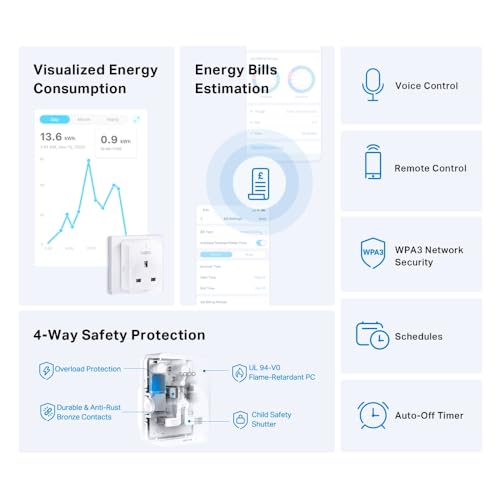
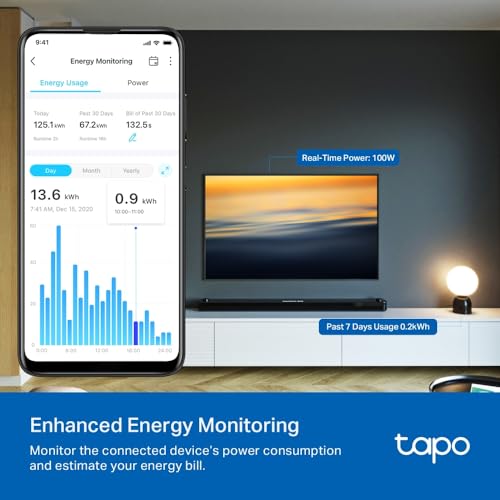
The standout feature for many buyers is the energy monitoring. Rather than a basic on/off smart plug, you get live wattage readings plus historical consumption graphs in the app. This helps you identify energy-hungry devices and track daily/monthly usage.
| Monitoring feature | Practical benefit |
|---|---|
| Real-time watts | Know exactly how much power an appliance draws now |
| Daily/monthly totals | Spot trends and plan savings over time |
| Historical logs | Compare appliance usage across days/weeks |
Setup and app experience
You’ll set up each plug using the Tapo app, which walks you through adding devices step-by-step. The app handles account creation, device naming, grouping and sharing with other people. There’s no hub required — the plug connects directly to your 2.4 GHz Wi‑Fi.
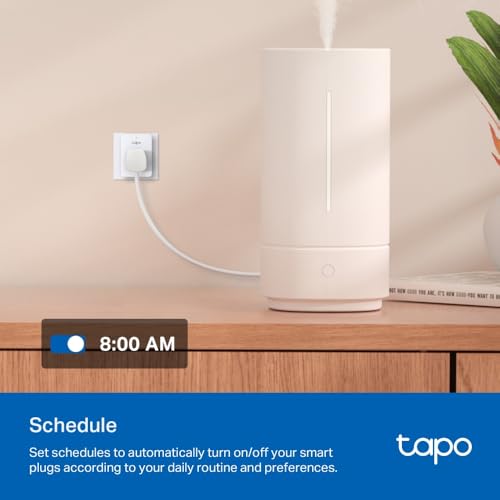
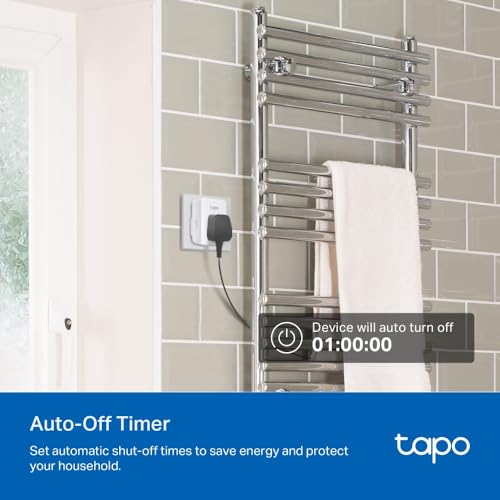
The app also includes presets like scheduling, timers, countdowns, and an Away Mode that randomly toggles devices to simulate occupancy.
Voice control and automation
If you use voice assistants, you’ll be comfortable: link the Tapo account to Alexa or Google and use voice commands to turn plugs on/off or trigger groups. The plugs also integrate with common automation patterns in the app (schedules, timers) and support IFTTT/SmartThings in some configurations if you want advanced workflows.
Practical use cases and examples
Power, safety and limitations
You must observe the electrical limits: the device is rated to about 13 A and roughly 2860–2990 W depending on local voltage. This makes it fine for lights, fans, TVs, computers and most small kitchen appliances. It’s not suitable for EV chargers, high‑current heaters, or other loads that demand continuous high current.
Reliability notes and best practices
While many users report long-term satisfaction, some have experienced relay failures after prolonged heavy or awkward loads (for example, always-on PC/UPS setups). To get the longest life from the plugs:
Troubleshooting tips
Final thoughts
If you want affordable, accurate energy monitoring and simple smart-home control without a hub, this 4-pack is a compelling option. You’ll be able to roll these out across rooms, monitor usage to cut waste, and integrate them with voice assistants and schedules. Just be mindful of the limitations for sustained heavy loads and follow the manufacturer’s power ratings to avoid premature failures.
FAQs
Yes. You add the plugs to the Tapo app, then link the Tapo skill/service to your Amazon or Google account. After linking you can use voice commands to turn outlets on or off and include them in routines.
No. The plugs only connect to 2.4 GHz WiFi networks and do not support 5 GHz.
The energy monitoring is suitable for home use and trend spotting. It reports real-time wattage and cumulative daily/monthly totals so you can identify power-hungry devices.
No. The plugs are rated for about 13 A and roughly 2990 W at typical mains voltage. They are not suitable for EV chargers or other continuous high-current loads.
Try these steps in order to restore connection.
If problems persist, contact TP-Link support with the plug model and network details.
Compatibility varies by region and firmware. Some cloud integrations are supported, but local third-party control may be limited.
Follow these practical steps to prolong service life.
These measures reduce stress on internal components and lower the chance of overheating or failure.