
Why Battery Smarts Matter on Multi-Day Trips
You rely on your smartphone for navigation, communication, photos, bookings and emergency help — and a dead battery can derail a whole day. Being proactive about power isn’t optional; it’s part of travel planning. This guide shows how to plan, tweak settings, charge smart, use external power, conserve energy on the move, and troubleshoot long-term battery health.
Across the next sections you’ll find clear, practical steps: Plan Your Power Strategy Before You Leave, Maximize Battery Life with Settings Tweaks, Smart Charging Habits While on the Road, Use External Power, Minimize Power Use While Exploring, and Troubleshooting and Long-Term Battery Care. Follow these tips to stretch each charge and travel with confidence. Stay powered up.


Plan Your Power Strategy Before You Leave
Audit your needs: how much power will you use?
Start by checking your phone’s battery health (Settings → Battery → Battery Health on iPhone; Settings → Battery on Android). Note the nominal capacity (most phones today are 3000–5000 mAh) and track how many full charges you need on a normal travel day — navigation, photo-heavy mornings and long messaging nights all add up. A quick rule: multiply phone mAh × expected full charges per day × trip days, then add a margin for surprise uses.
Choose the right gear
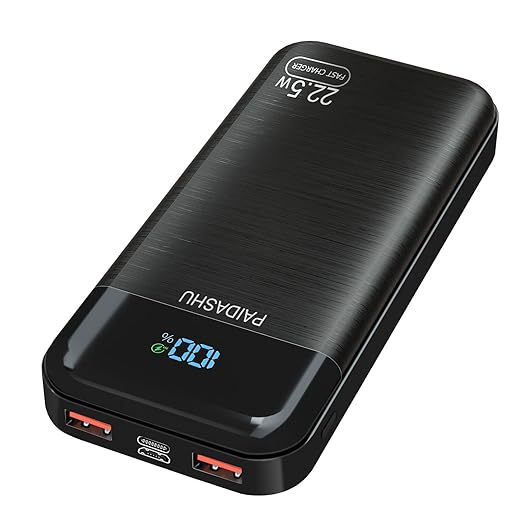
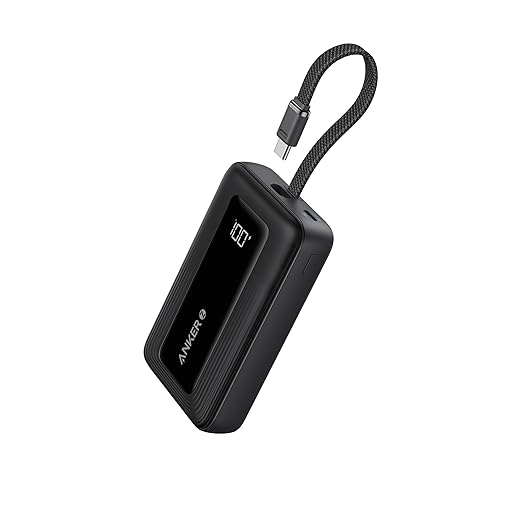
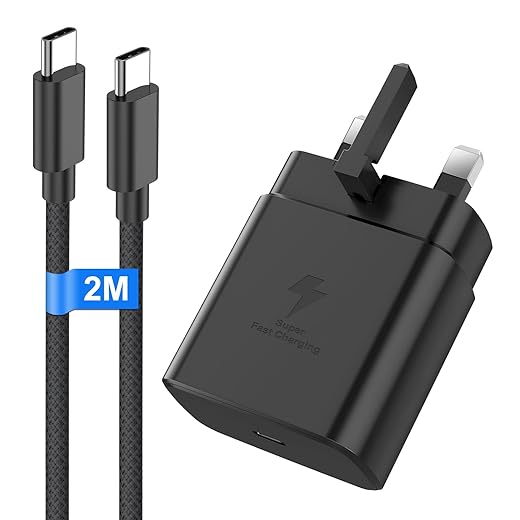
Pick accessories that match that math. For fast top-ups, prefer USB-C PD power banks and a compact multiport wall adapter so you can charge multiple devices overnight. Keep the right cables: USB-C to USB-C for modern Androids, USB-C to Lightning for recent iPhones, and one short braided cable for daily carry.
Practical capacity calculation (real-world)
If your phone is 4500 mAh and you expect two full charges per day for three days: 4500 × 2 × 3 = 27,000 mAh. Because power banks aren’t 100% efficient, add ~25–35% to that number — you’d want ~34,000–36,000 mAh of raw capacity (or two 10,000–20,000 mAh banks). For lighter trips, a single 10,000 mAh bank often covers a day of heavy use.
Regulations, packing and backups
Check airline rules: most carriers allow up to 100 Wh (≈27,000 mAh at 3.7V) in carry-on; 100–160 Wh needs airline approval; >160 Wh is usually prohibited. Pack batteries in carry-on, protect ports with caps, coil cables with a Velcro strap, and use a hard pouch to avoid crushed connectors. Consider a low‑profile battery case (adds 2,000–3,500 mAh) if you plan all-day navigation and photography.
Scout power opportunities
Before you go, map where you’ll be able to charge — hotel outlets, onboard USB ports, cafés, visitor centers — and set realistic charging expectations for each day. Next, you’ll learn the settings tweaks that squeeze more hours from every charge.
Maximize Battery Life with Settings Tweaks
You’ve planned the gear — now squeeze more hours out of each charge. A few quick toggles can add surprising runtime without extra kit.
Tame the screen
The display is usually your phone’s biggest power sink. Lower brightness to 25–50% or use adaptive/auto brightness so the phone adjusts to conditions. On OLED phones, enable system-wide Dark Mode to reduce pixel power during apps and menus. Shorten screen timeout to 15–30 seconds so a forgotten wake doesn’t cost you an hour of standby.
Kill background drains
Stop apps from running errands in the background. Turn off Background App Refresh / App Background Activity and disable automatic downloads and app updates when you’re traveling. Use “Adaptive Battery” or equivalent to limit seldom-used apps.
Lock down location, email, and notifications
Set location permissions to “Only While Using” or “Ask Next Time.” Keep high-accuracy GPS on only for navigation. Turn off push email and increase fetch intervals to 15–60 minutes (or manual for low-priority accounts). Trim notification permissions so only critical apps can light your screen.
Be smart about connectivity
Choose Wi‑Fi over mobile data when possible — cellular radios burn more power, especially in weak-signal areas. Disable Bluetooth when not pairing devices. If you’re in a poor-coverage zone, switch to Airplane Mode until you need connectivity; phones can drain fast while hunting for signal.
Use built-in power modes and quick presets
Enable Low Power / Battery Saver and set it to start at a practical threshold (20–40% or higher for long travel days). Create quick profiles on your phone or with shortcuts: “Navigation only” (GPS + Do Not Disturb), “Light day” (Wi‑Fi + low brightness), or “Emergency” (Airplane Mode + essential apps). These take seconds to apply and pay off in hours.
Next up: how to charge on the road efficiently so those saved hours translate into all-day reliability.
Smart Charging Habits While on the Road
How and when you charge matters as much as how much. Small habits keep your battery healthier and your phone usable all day.
Top up in short windows
Aim for frequent, shallow charges instead of waiting for 0% or grabbing a single 100% fill. Hitting the 20–80% window reduces stress on lithium cells and gives you usable runtime. Charge while you eat, shower, or on transit — those 20–40 minute breaks add up.
Be mindful of heat
Heat is the enemy. Avoid charging under direct sun, on hot dashboards, or in closed cars. If you must charge during a road stop, sit in the shade or keep the phone on an air‑conditioned seat. Pause intensive use (games, camera recording, heavy GPS rendering) while charging to keep temperatures down.
When to use fast charging — and when not to
Fast chargers (30W USB‑C PD, OnePlus Warp, Samsung Super Fast) are great for quick top-ups before a long day. But they produce more heat, so use them when you need a rapid boost (e.g., 20% → 60% in 30–40 minutes). If you’re charging overnight or during long downtime, prefer a slower charger (5–18W or standard USB‑C PD with lower wattage) to reduce stress.
Practical roadside tips
Overnight and long-trip charging
Overnight charging is acceptable if you need a full battery for a long travel day, but try to unplug once it reaches ~90–95% and avoid repeating full 0→100 cycles regularly. If you regularly need full-day capacity, alternate full-charge days with lighter, 20–80% routines to prolong overall lifespan.
Use External Power: Power Banks, Packs, and Alternative Sources
Pick capacity with realistic expectations
A higher mAh sounds great, but weight and size matter on long treks. Remember rated capacity is at the cell voltage (3.7V) — real-world usable energy after conversion is typically 60–75%. A quick rule: usable_charges ≈ (bank_mAh × 0.7) ÷ phone_mAh. So a 20,000mAh pack will usually give ~3–4 charges for a 4,000mAh phone. Choose the smallest pack that covers your worst day plus a margin.
Camping trips are easier with a reliable power source like the Vikeri 26,800mAh Rugged Solar Power Bank, which pairs big capacity with outdoor durability.

Know the ports: USB‑A vs USB‑C, and Power Delivery
USB‑A is ubiquitous for older accessories; USB‑C supports higher wattage and PD fast charging. If you want quick top-ups between activities, prioritize a USB‑C PD output (18–45W). Pass‑through charging (charging the bank while it charges your phone) is convenient, but it increases heat and can stress both devices — use it only when necessary and on packs rated for pass‑through.
Multiple outputs — pros and caveats
Multiple ports let you top off a phone, earbuds, and camera at once. Check the total output rating: if a pack is 18W total, it won’t deliver 18W to every device simultaneously. For fast charging one phone, dedicate the PD port.
Alternative sources for long trips
Portable solar panels are great for multi‑day backcountry travel but require good sun and patience; panels with an integrated battery smooth clouds and evenings. For road trips, compact jump‑starters (e.g., NOCO‑style units) can both start a car and charge USB devices — a lifesaver if you might lend power.
Safe handling and reliability
Next, you’ll learn how to stretch that charged power farther while you’re out exploring.
Minimize Power Use While Exploring
When you’re out all day, habits — not hardware — determine how long your battery lasts. Small behavior changes add up fast. Use these focused, app-specific tactics to keep your phone usable through long hikes, city strolls, or multi‑hour photo sessions.
Pre-download and cache what you need
Example: on a 10‑hour mountain day, preloading a 200 MB offline route prevented constant GPS lookups and saved the battery for photos.
Control location and background use while moving
Camera and media savings
Communication and low‑signal strategy
Quick UI savings
Troubleshooting and Long-Term Battery Care
Diagnose the drain
When your phone suddenly dies faster than expected, start with the phone’s own diagnostics. On iPhone go to Settings > Battery to see per‑app usage and “Battery Health.” On Android check Settings > Battery > Battery Usage or Samsung’s Device Care. Look for apps chewing disproportionate foreground or background time (social apps, rogue backup/sync, or a misbehaving camera app).
If one app is the culprit, force‑stop it and uninstall or reinstall. If several show odd behavior after an update, roll back or disable them until a patch lands. Quick real‑world tip: a fellow hiker solved a 40%‑per‑day drain by stopping an auto‑backup app that constantly retried uploads on a weak signal.
Emergency fixes on the road
When you need immediate relief, try these fast, practical moves:
Long‑term battery health: habits that matter
Preserve capacity with these durable practices:
Decide: short trips and temporary throttling are fine with power banks, but if your phone struggles daily, replacement is the safer long‑term fix. With troubleshooting and care under your belt, you’re set to move on to packing and charging strategies in the conclusion.
Pack Smarter, Charge Smarter, Travel Further
Combining pre‑trip planning, small on‑device tweaks, smart charging habits and the right external gear keeps you connected when it matters. Use the checklist of settings, accessories and behaviors from this guide to build a simple travel routine that minimizes downtime and stress. Habitual prep turns battery anxiety into predictable uptime.
Pack a compact power plan, charge wisely, and favor low‑power behaviors while exploring. When problems arise, follow the troubleshooting and care steps to preserve battery health. With consistent habits and right kit, you’ll spend less time hunting outlets and more time enjoying your trip.