
Get ECG on Your Series 9 — Even Outside the US
I’ll walk you step-by-step through how I enabled the ECG feature on my Apple Watch Series 9 while living outside the United States, explaining region settings, safety checks, and legal notes so you can access heart insights confidently and securely.
What I Need Before We Start

Confirm Compatibility and Software
Am I sure my watch and iPhone are actually eligible — or am I chasing a phantom feature?Verify I have a Series 9 model and that watchOS is up to date. Check the model and OS (Watch app > My Watch > General > About or on the watch: Settings > General > About).
Verify my iPhone runs the required iOS version and is paired correctly (iPhone: Settings > General > About).
Check Health app compatibility and that the Heart section appears (open Health > Browse > Heart).
Confirm the ECG app isn’t hidden or uninstalled by looking in the Watch app under Installed on Apple Watch or by searching on the watch itself.
Perform these checks now so I don’t waste time on unsupported hardware or outdated software.

Back Up and Update Everything
Why risk losing settings? A quick backup is like an insurance policy — and it only takes minutes.Back up my iPhone (and Apple Watch settings) to iCloud. Example: Settings > [My Name] > iCloud > iCloud Backup > Back Up Now. Unpair the watch in the Watch app if I want a fresh, guaranteed watch backup.
Update both devices to the latest OS releases. Example: iPhone: Settings > General > Software Update. Watch: Watch app > My Watch > General > Software Update (or on the watch: Settings > General > Software Update). Keep both devices on Wi‑Fi and charging while updating.
Sign in to iCloud with my Apple ID and enable Two‑Factor Authentication for security: Settings > [My Name] > Password & Security > Turn On Two‑Factor Authentication.
Change Region Settings on iPhone
Can a region switch really unlock ECG? Spoiler: sometimes it does — but there are caveats.I open Settings > General > Language & Region, then tap Region and set it to a country that supports ECG (for example, United States). I follow on‑screen steps and restart the phone if prompted.
I sign out and back into iCloud if asked (Settings > [My Name] > Sign Out), then sign in again to refresh region‑dependent services. I then open the Health app and look for the ECG setup prompt under Browse > Heart.
Check the Health app for the ECG setup prompt.
Set Up the ECG App on the Watch
Ready to tap into heart data? Setting up is easier than you think — but don’t skip the safety bits.I open the Health app on my iPhone and follow the ECG setup flow under Browse > Heart > Electrocardiograms; I tap Set Up ECG and pair the ECG app to my Series 9 if prompted.
I enable wrist detection and the ECG toggle in the Watch app so the watch can record properly. I go to Watch app > My Watch > Passcode to turn on Wrist Detection, then My Watch > Heart to enable ECG.
I review prompts, enter my DOB if asked, and accept disclaimers before running an ECG.
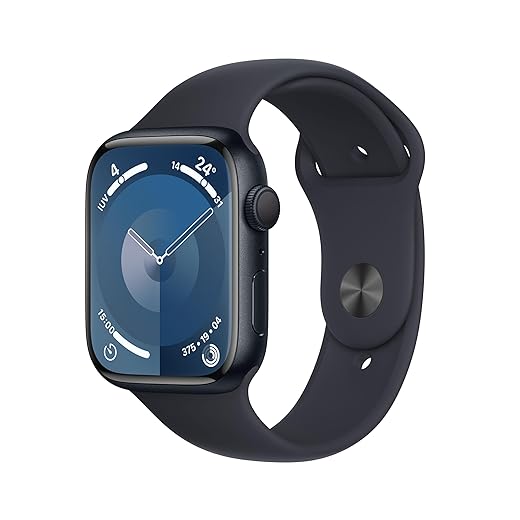
Test the ECG Safely and Interpret Results
What does a read actually tell me — and when should I call a doctor? Let’s demystify the results.Sit quietly: I sit upright, rest my arm on a table, and follow the on‑screen prompts before starting a recording.
Open the ECG app: I tap ECG on my Series 9, place my finger on the Digital Crown, and keep still until the 30‑second timer finishes.
Interpret results: I read the classification and compare it to what I feel — for example:
Document and contact: I save the recording in Health, note time and symptoms, and contact my doctor — or emergency services for severe chest pain, fainting, or breathing trouble — because the ECG app is informational, not a definitive diagnosis.

Restore Local Settings and Stay Compliant
Can I switch back without losing ECG? Yes — but here’s how to do it responsibly.Revert my iPhone region if I want and immediately verify the ECG app still opens and records a 30‑second trace. I tap ECG, take a quick recording, and confirm the result saves to Health.
Check legal and warranty considerations: some countries treat ECG as a regulated medical device and restrict use — for example, a friend in Country X had to register with a local health authority. I review Apple’s warranty terms and local laws before relying on region-dependent features.
Enable Health data export for my doctor: open Health > Profile > Export All Health Data and share the ZIP file or screenshots during appointments.
Set reminders to re-check ECG recordings monthly and always install the latest iOS/watchOS updates to maintain accuracy and compliance.
You’re Ready to Monitor Your Heart
I’ve shown a safe way to enable ECG on an Apple Watch Series 9 outside the US; follow these steps responsibly, keep software updated, and consult a clinician for concerns — are you ready to take charge of heart health?

This guide was super clear — exactly what I needed. I followed the steps, changed my iPhone region to the US, set up the ECG app, tested once (carefully), then switched everything back. Worked like a charm.
A few things I learned the hard way:
1) Make the full backup before changing regions (you don’t want to lose any Health data).
2) Keep watch and phone close during the whole process.
3) Don’t skip the software updates — the Series 9 required the latest watchOS for me.
Thanks for making it simple. 🙂
Nice! Did you notice any difference in ECG waveform quality after the watchOS update? I’m thinking of putting off the update because of work stuff, but maybe I shouldn’t.
Glad it helped, Emily! Thanks for the practical tips — backups and keeping devices together are the two things people most often forget.
Totally agree about the backup. I thought iCloud would handle everything but had a small sync hiccup until I did a manual backup. Pro tip: check Health data after restore.
Short tip: make sure you have an active Apple Health profile (DOB, etc.) — the ECG setup prompts for some info. Missed that on my first try and was stuck for 20 mins 🙃
Omg I wasted so much time on that too. Also check that wrist preference (left/right) is set correctly in the Watch app — helps with electrode placement.
Nice practical tip, Chloe — Health profile details are often overlooked but required for some features.
I tried the guide but the ECG app never showed up on my watch after changing the iPhone region. I did update both devices and backed up. Any ideas?
Steps I did:
– Updated iPhone 15 and Series 9 to latest OS
– Changed iPhone region to United States
– Opened Watch app > Health > tried to set up ECG
– Nothing appears on watch
I’m stuck. 😕
I had same issue — turned out my Apple ID had lingering payment info tied to my home country which prevented some regional features. Removing payment method temporarily fixed it for me.
Sorry you’re stuck, Hannah. A few troubleshooting questions:
1) Is your Apple ID region still set to your home country? Sometimes App Store/Apple ID region can conflict.
2) Do you see the ECG option in the Watch app > Heart or Health settings on the iPhone at all?
3) Try restarting both devices, and if still nothing, unpair and re-pair the watch after the iPhone region change (restore from backup after re-pair).
Good addition, Ben. Also: make sure you’re using the primary iCloud account that’s signed into Health and Watch — secondary accounts won’t work for setup.
Thanks everyone — I’ll try removing payment info and re-pairing tonight. I’ll report back if it works. Fingers crossed 🤞
I followed the guide but have a question about step 6 — restoring local settings. If I switch region back immediately after enabling ECG, will the app stay functional forever or will it disappear after some update/check? Trying to figure out the longevity of this workaround.
Also consider contacting Apple Support if it disappears — sometimes they can re-enable features tied to your Apple ID in special cases.
I’d add: if you’re in a place where ECG is regulated, think about the ethical angle — using a feature not intended for your jurisdiction could be grey-area. Not trying to scare anyone, just saying.
Adding: if you plan to rely on it long-term, keep watchOS and iOS updated and document the process so you can repeat it if an update removes the app.
Good point. In most cases the ECG app remains after you switch back, because the watchOS configuration persists. However, major updates or device resets can remove it if Apple decides to re-check region-restricted features. Keeping a backup with the ECG setup and noting the exact watchOS/iOS versions can help restore it if needed.
I’ve had it stay on my Series 6 for over a year after switching back, but an update once removed it until I changed the region again. YMMV.
Quick shoutout to step 5 — testing safely. I appreciated the reminder to sit still and avoid exercising right before taking the ECG. I tried once while I was a bit anxious and the reading was all over the place lol.
Also, the part about interpreting results is key: the watch can say ‘inconclusive’ and that’s normal sometimes. Don’t panic if that happens.
Exactly — movement and poor contact often give inconclusive results. If you get repeated worrying readings, definitely contact a healthcare provider.
Haha same, my first try was a mess. Sat quiet, took a second one and it was fine. The watch isn’t a drama queen — we are. 😅
For anyone worried about accuracy: do a few tests over a week to see consistency. And remember the ECG app isn’t a full 12-lead ECG; it’s single-lead and good for some arrhythmia detection but not everything.
Also FYI: if you have an implantable device (pacemaker, etc.) check with your doc before using consumer ECG tools.
Not sure I’m comfortable messing with region settings. Is it legal? Also, what about warranty or terms of service — could Apple penalize you for switching region temporarily just to enable a feature?
Good question, Raj. I’m not a lawyer, but changing your device region is a settings change and generally allowed. The bigger concerns are regulatory: some regions require medical approvals for ECG so Apple disables it there. Temporarily enabling it on a device likely won’t trigger warranty issues, but you should follow local laws and avoid representing readings as clinical diagnoses.
I’ve done it twice and never had problems with Apple support. If you need in-person service they rarely check the region setting. Still — use ECG readings responsibly and see a doctor for any serious concerns.
I appreciate the guide but lol the whole “change region to US” workaround feels like hacking around Apple’s sandbox. 🤷♂️ Still, it worked for my Series 9. Two things:
– Don’t forget to have both devices nearby during setup.
– If you get an ‘ECG app not available’ message, try reboots after the region change.
Not perfect but better than paying for a separate device.
One extra: if reboots don’t work, try removing the watch from the Watch app and re-pairing after the region switch (but remember the backup!).
Agreed — felt like a mini tech-adventure lol. Worth it if you want quick access without extra gadgets.
Yeah, it’s not elegant but it’s effective for many users. Rebooting often helps when services take a second to propagate after region change.